Forward Future Tools Library

AI Room Makeover
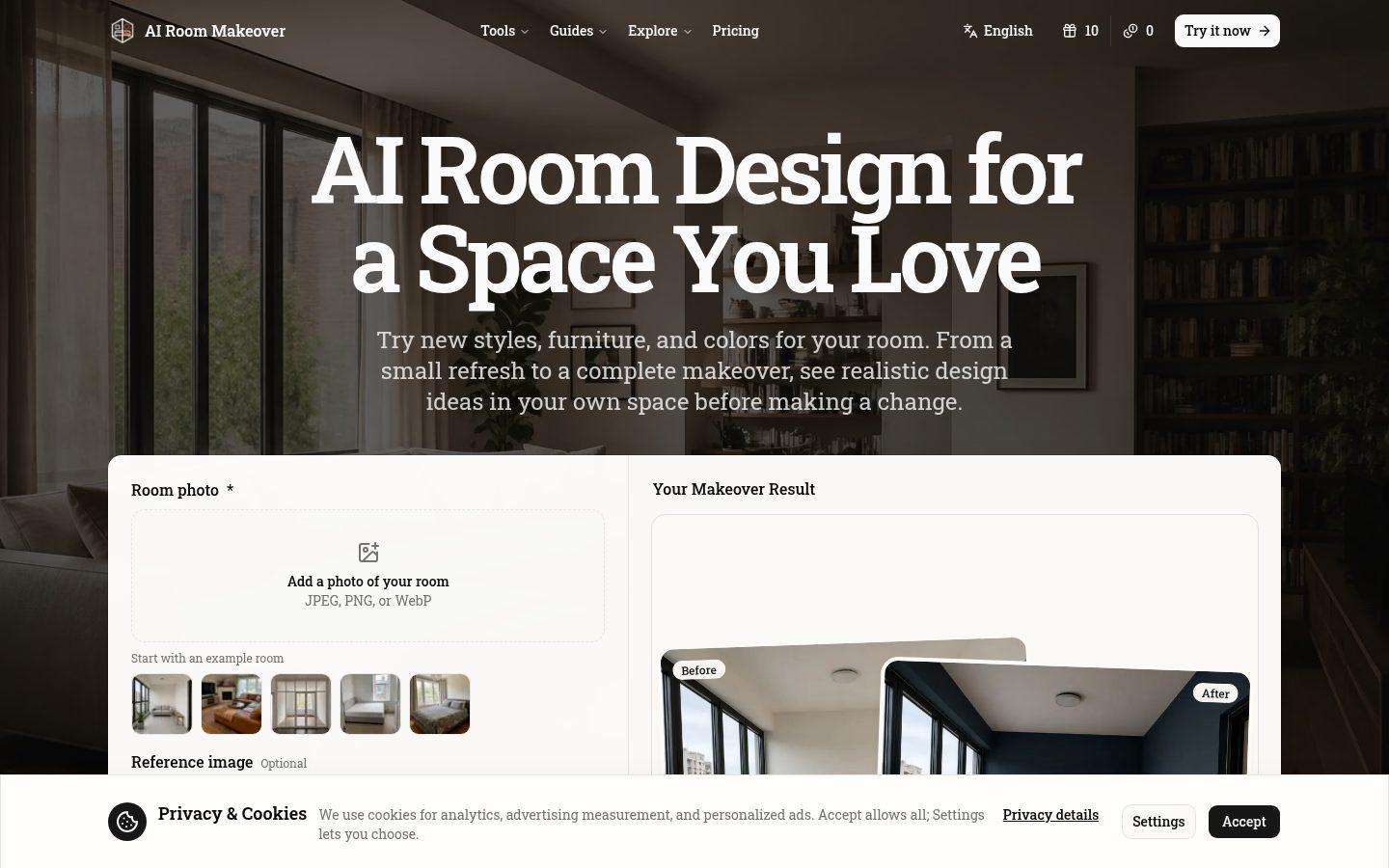
AI Room Makeover turns a photo of a real room into visual design previews for homeowners, renters, and designers testing furniture, colors, materials, or layouts.
Try AI Room Makeover →
airoommakeover.com

›What is AI Room Makeover?
AI Room Makeover uses a room photo, optional reference images, and a written request to generate a redesigned view of the space. Users can choose styles such as Scandinavian, Mid-Century Modern, Industrial, Art Deco, and Bohemian, then regenerate variations. The tool is intended for visual planning, not measured construction drawings or guaranteed product fit.
›What are the pros and cons of AI Room Makeover?
Strengths
Works from a photo of the user's actual room
Supports both broad style changes and narrowly described edits
Reference images can guide products, colors, and materials
Useful for testing changes before committing to expensive or difficult-to-reverse work
Offers room-specific examples for bedrooms, sunrooms, and other living spaces
Trade-offs
The results are visual previews, not measured construction drawings
Generated images do not guarantee exact product fit
The product is narrower than general design platforms and lacks multi-project workspace and team collaboration features
Image generation uses credits, and current credit-pack rates are not stated on the live pricing page
›What are AI Room Makeover’s key features?
Upload JPEG, PNG, or WebP room photos
Add up to nine product or material reference images
Describe a specific change in natural language
Choose from several interior design styles
Preview furniture, paint, colors, lighting, curtains, cabinetry, and materials
Generate and compare before-and-after room concepts
Use GPT Image 2 with selectable output quality
›What are the best use cases for AI Room Makeover?
Preview a furniture replacement before buying it
Compare wall, cabinet, flooring, curtain, or material choices
Test a new furniture arrangement while keeping existing pieces
Plan a renter-friendly room update
Explore bedroom layouts for sleep, play, or study
Share a visual design direction with family or a contractor
›Who is AI Room Makeover best for?
homeownersA fit for homeowners who want to visualize furniture, paint, or material changes in their own room before committing.
rentersRenter-friendly updates such as color, decor, and rearrangement can be previewed without changing the underlying room.
interior designersDesigners can use reference images and written prompts to create early visual concepts for discussion.
small teamLess suitable for teams that need shared workspaces, collaboration controls, or multi-project management.
Not for
- Skip it if you need measured plans, construction documentation, or guaranteed product dimensions.
- Skip it if you need commercial-grade image output or collaborative project management.