Forward Future Tools Library

Elementor AI Website Builder
Elementor AI generates editable WordPress pages, layouts, copy, images, code, forms, and design systems for creators, marketers, and developers who want a faster starting point without giving up manual control.
Try Elementor AI Website Builder →
elementor.com·Free Trial


›What is Elementor AI Website Builder?
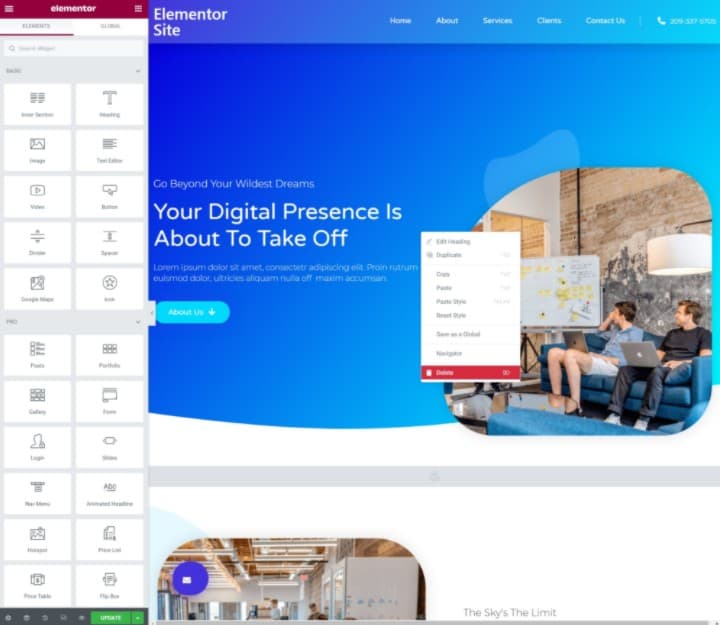
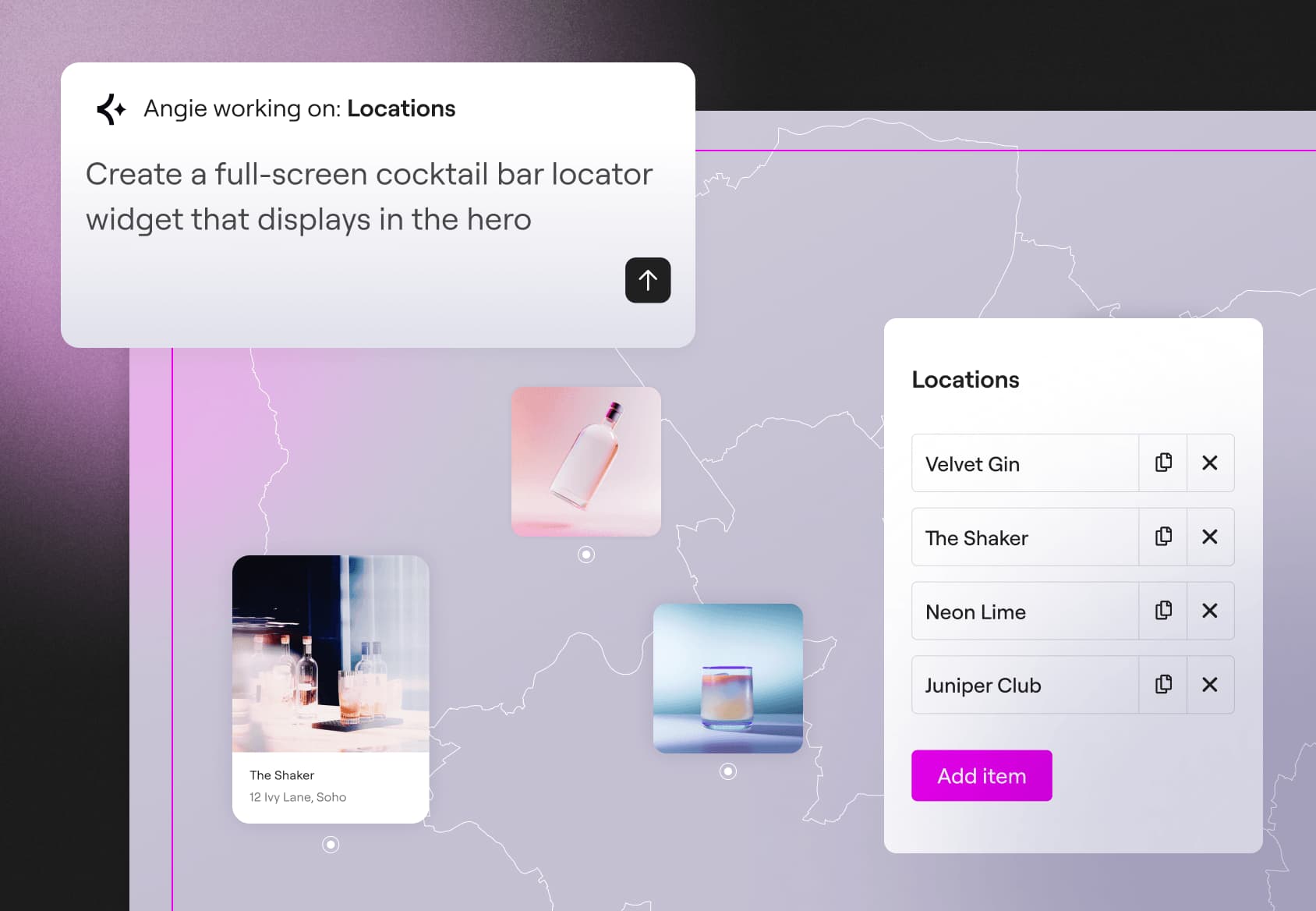
Elementor AI is a set of generative tools for building WordPress sites in the Elementor editor. Its current workflow can generate complete pages, structured layouts, content, design systems, forms, dynamic loops, images, and custom code. Generated results remain editable in Elementor, but drafts typically need manual refinement before publication.
›What are the pros and cons of Elementor AI Website Builder?
Strengths
Generated pages are structured, native Elementor content rather than locked exports
Supports full-page generation instead of requiring users to build layouts piece by piece
Can use brand information or screenshots to establish colors, fonts, and reusable design elements
Combines copy, image, code, and layout generation in the WordPress editor
Generated work can be manually reviewed and adjusted before publishing
Trade-offs
AI output is often generic and usually needs editing for polished, production-ready results
Elementor AI uses a separate credit-based subscription, and image generation can consume credits quickly
Atomic Forms and dynamic loops require Elementor Pro
Users need to install and activate Elementor and Angie through a WordPress dashboard
The tool assists with design and development but does not replace design or development expertise
›What are Elementor AI Website Builder’s key features?
Generate complete Elementor pages with sections, content, and styling from a prompt
Create starting design systems from brand information, screenshots, colors, fonts, Classes, and Variables
Generate text, images, custom code, layouts, and container structures inside the editor
Build Atomic Forms from described fields and layouts, with Elementor Pro required
Create dynamic archive loops with items and pagination, with Elementor Pro required
Edit and refine generated content directly in the Elementor Editor
›What are the best use cases for Elementor AI Website Builder?
Create a first-pass WordPress landing page from a description
Turn a brand reference or screenshot into a reusable website design system
Draft marketing copy and images while assembling a new page
Generate lead-capture forms for professional or business websites
Build dynamic archive layouts for WordPress content
›What is the pricing for Elementor AI Website Builder?
Free Trial
›Who is Elementor AI Website Builder best for?
soloUseful for solo site creators who need quick drafts and want to retain control over the final Elementor build.
small teamSmall web teams can use it to produce first-pass pages, copy, images, and design systems for client sites.
designersDesigners get editable Elementor layouts and design-system starting points that can be refined manually.
developersDevelopers may benefit from generated custom code and structured layouts, especially when working with Elementor Pro.
Not for
- People who want a finished production site with no review or manual refinement
- Heavy image-generation users who do not want to manage a credit-based usage limit
- Buyers seeking a hosted website builder instead of a WordPress and Elementor workflow