

Forward Future Tools Library

Img2Gen
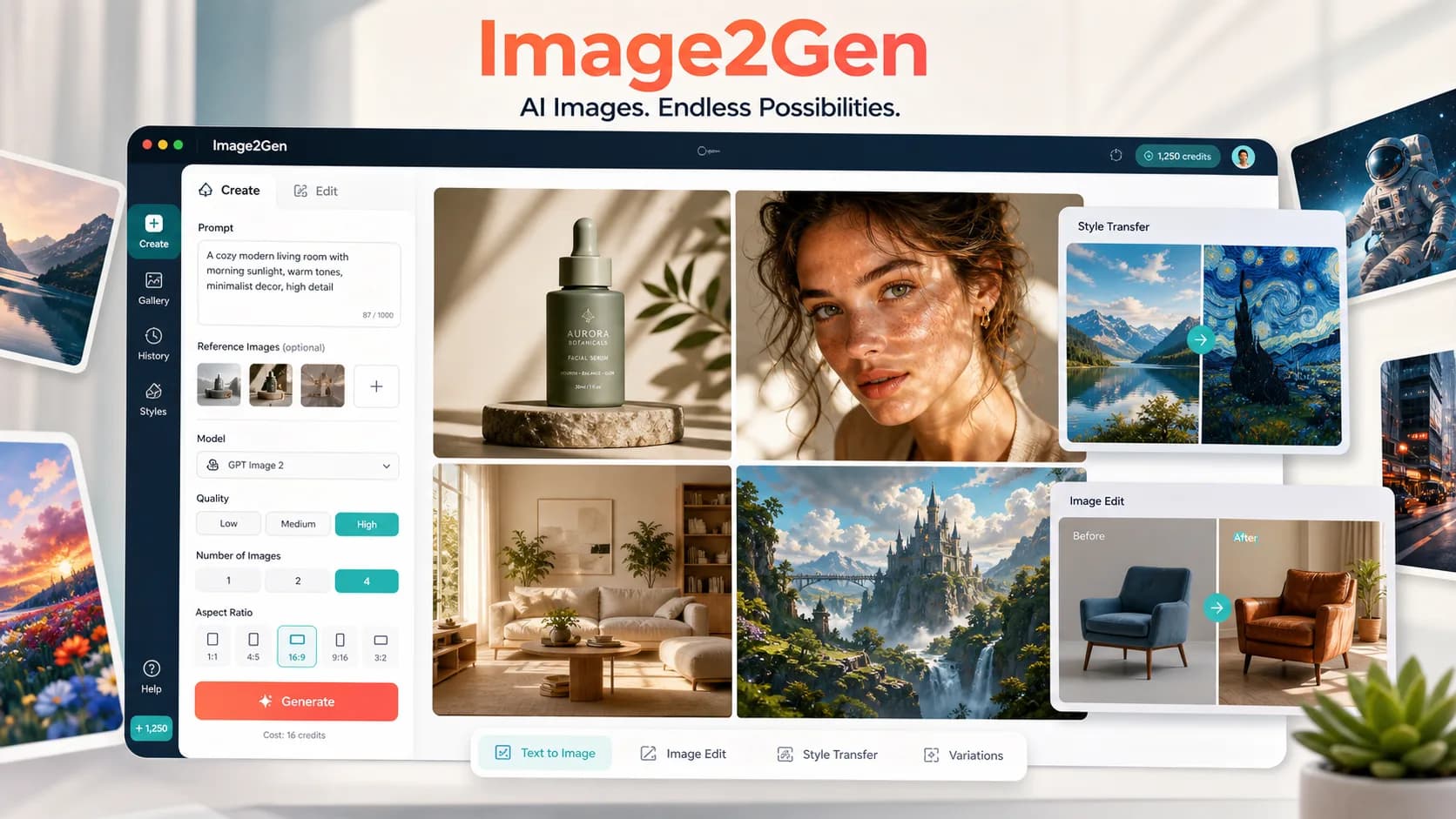
Img2Gen creates and edits product photos, ads, portraits, posters, and other visuals from text prompts or reference images, with credit-based quality and model controls for creators and marketing teams.
img2gen.com·From $29; $24.17/month; $290 billed yearly·Checked 2026-11-03



›What is Img2Gen?
Img2Gen is a browser-based image studio built around GPT Image 2 and GPT Image 2.5. It generates images from prompts and edits uploaded references for product photos, advertisements, portraits, posters, and other visual assets. Users can choose models, quality levels, output counts, and aspect ratios before generation.
›What are the pros and cons of Img2Gen?
Strengths
Trade-offs
›What are Img2Gen’s key features?
›What are the best use cases for Img2Gen?
›What is the pricing for Img2Gen?
| Plan | Price | Details |
|---|---|---|
| Hobby | $29; $24.17/month; $290 billed yearly | 6,000 yearly credits, low, medium, and high quality modes, up to 4 images per request, and generation history |
| Pro | $49; $40.83/month; $490 billed yearly | 14,400 yearly credits, GPT Image 2.5 Flare, Sunburst, and GPT Image 2, text-to-image and image-to-image generation, and support for ad, product, and editorial batches |
Yearly billing gives two months free. One free image is available per account, once ever, using GPT Image 2 or GPT Image 2.5.
Checked 2026-11-03 · source
›Who is Img2Gen best for?
- Teams that need a broad, heavy design dashboard rather than a focused image-generation and editing workspace
- Users who need an ongoing free allowance, since the live site limits free use to one image per account
- Workflows that require guaranteed access to a particular paid model, because availability depends on the provider
›What are the best Img2Gen alternatives?
 Seedream 5.0Choose this instead if you want another tool for creating and editing visuals from text and image prompts.→
 Pictro.aiChoose this instead if generating videos alongside images or conversational image editing is important.→
 Adobe PhotoshopChoose this instead if you need traditional photo editing and graphic design tools in addition to AI features.→
 BG Remover Free→