Forward Future Tools Library

Julius AI
Julius lets individuals and teams analyze data, create presentations and reports, build websites, and generate images or video from natural-language requests.
Try Julius AI →
julius.ai·Free + paid plans·Checked 2026-09-03
›What is Julius AI?
Julius is an AI workspace for analyzing data and research and creating presentations, reports, websites, images, and video. Users can explore files, run analyses, visualize results, and receive answers with citations. It can also connect to services such as Google Drive, Snowflake, BigQuery, and Postgres on supported plans.
›What are the pros and cons of Julius AI?
Strengths
Supports natural-language data analysis without requiring users to write code
Handles CSV, PDF, spreadsheet, and connected data sources
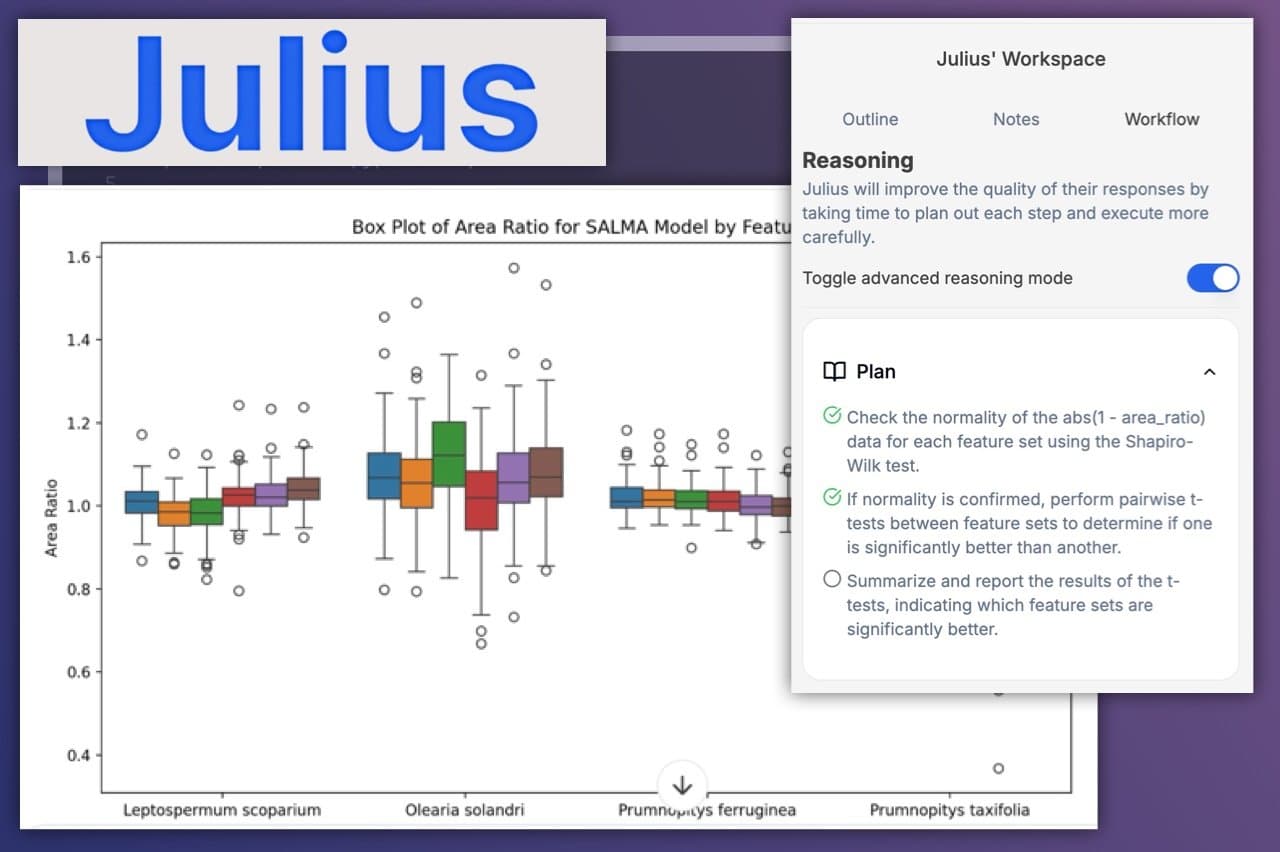
Can generate editable Python, R, SQL, or analytical code
Combines analysis, presentations, reports, websites, images, and video in one workspace
Paid plans include connectors and collaboration features for teams
Trade-offs
The credit-based usage model can make consumption and plan value difficult to judge
The Free plan has a small usage allowance for ongoing individual work
AI-generated analysis can be unreliable on sparse data and needs review
Reported message limits have varied across published descriptions
Higher-tier access is required for broader connectors, larger context, and advanced models
›What are Julius AI’s key features?
Ask natural-language questions about spreadsheets, datasets, and connected data sources
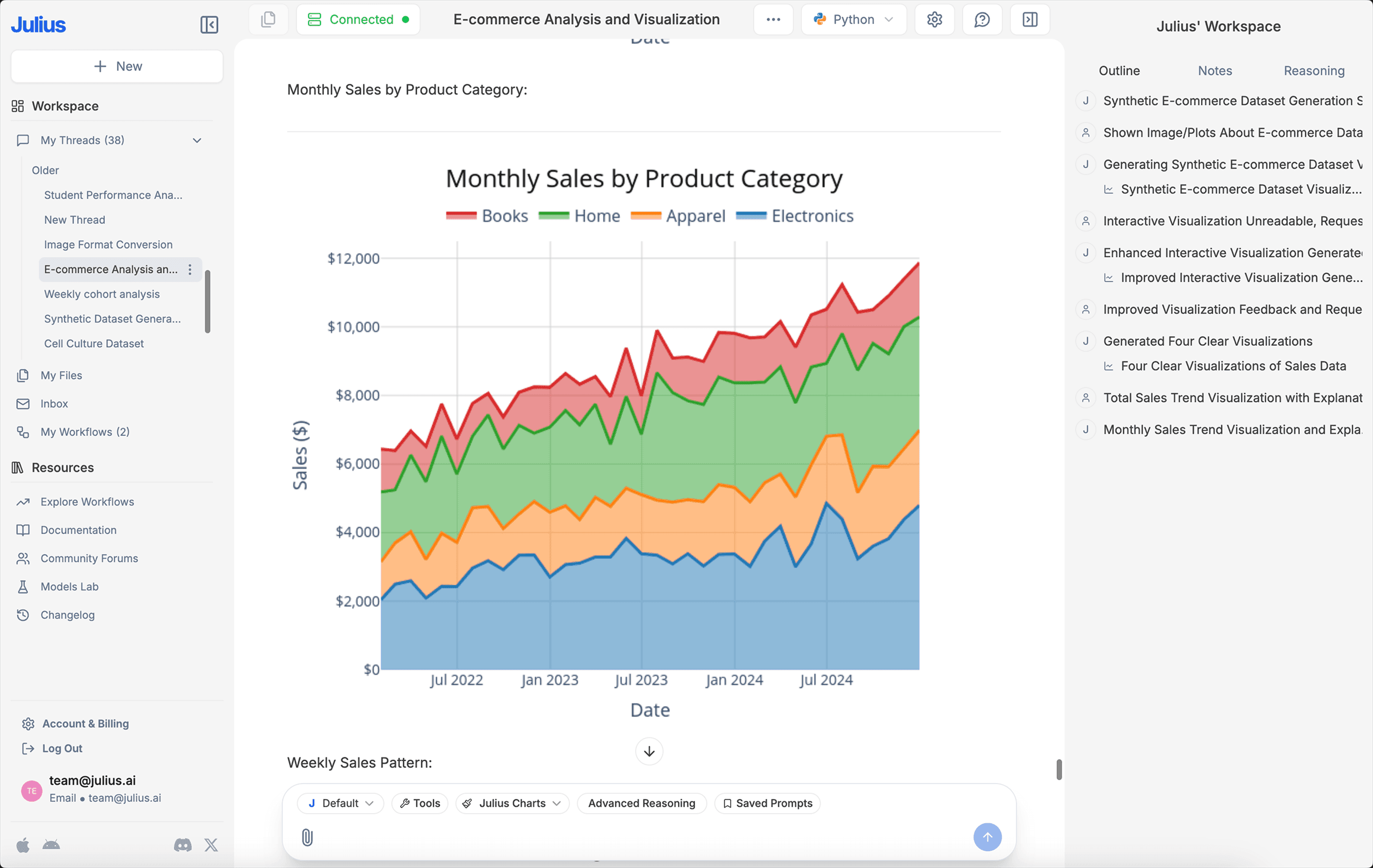
Generate charts, reports, dashboards, and analytical code
Create presentations from prompts or source material
Build responsive websites, interactive tools, and web apps
Generate images and create or edit video from text or images
Connect to Google Drive, OneDrive, SharePoint, Snowflake, BigQuery, and Postgres on supported plans
›What are the best use cases for Julius AI?
Explore a CSV or Excel file and produce charts or statistical analysis without writing code
Turn research or source material into a presentation or shareable report
Build a website or interactive web experience from a prompt
Generate campaign, product, or presentation images and video
Create recurring reports from connected business data on the Business plan
›What is the pricing for Julius AI?
| Plan | Price | Details |
|---|---|---|
| Free | $0 / month | Create presentations, reports, websites, images, and video with limited credits and supported file storage formats. |
| Plus | $20 / month | Includes 2,000 credits monthly, one seat, frontier model access, exports, unlimited file storage formats, and unlimited charts. |
| Pro | $45 / month | Includes 5,000 credits monthly, frontier model access, expanded context, exports, unlimited file storage formats, and priority email support. |
| Max | $200 / month | Includes 25,000 credits monthly, access to the most powerful models, a larger context window, early feature access, and permanent file storage. |
| Business | $450 / month | Includes 60,000 credits monthly, up to 50 team members, warehouse connectors, unlimited Custom Agents, scheduled report runs, and one shared AI workspace. |
| Enterprise | Contact Us | Enterprise plan with pricing available through Julius. |
The pricing page displays annual-billing rates of $16 / month for Plus, $37 / month for Pro, $166 / month for Max, and $375 / month for Business.
Checked 2026-09-03 · source
›Who is Julius AI best for?
soloUseful for individuals who want to analyze spreadsheets, conduct research, and create media without switching between several tools.
small teamSmall teams can use the shared workspace and supported connectors for collaborative analysis and reporting.
developersDevelopers may benefit from generated and editable Python, R, and SQL, but should validate the output before relying on it.
marketing specialistsMarketing specialists can use it to turn data and source material into reports, presentations, images, and video.
Not for
- Buyers who need a narrowly focused customer-support chatbot rather than a data and content creation workspace.
- Teams that require predictable usage costs without a credit-based allowance.
- Users who need unattended, high-confidence analysis of sparse or sensitive data without manual review.