Forward Future Tools Library

Murf.ai logo

Murf.ai

Murf AI creates editable AI voiceovers, dubbing, and voice-agent audio for content creators, educators, corporate training teams, and developers building conversational applications.

Try Murf.ai →

murf.ai·Free + paid plans·Checked 2026-08-19

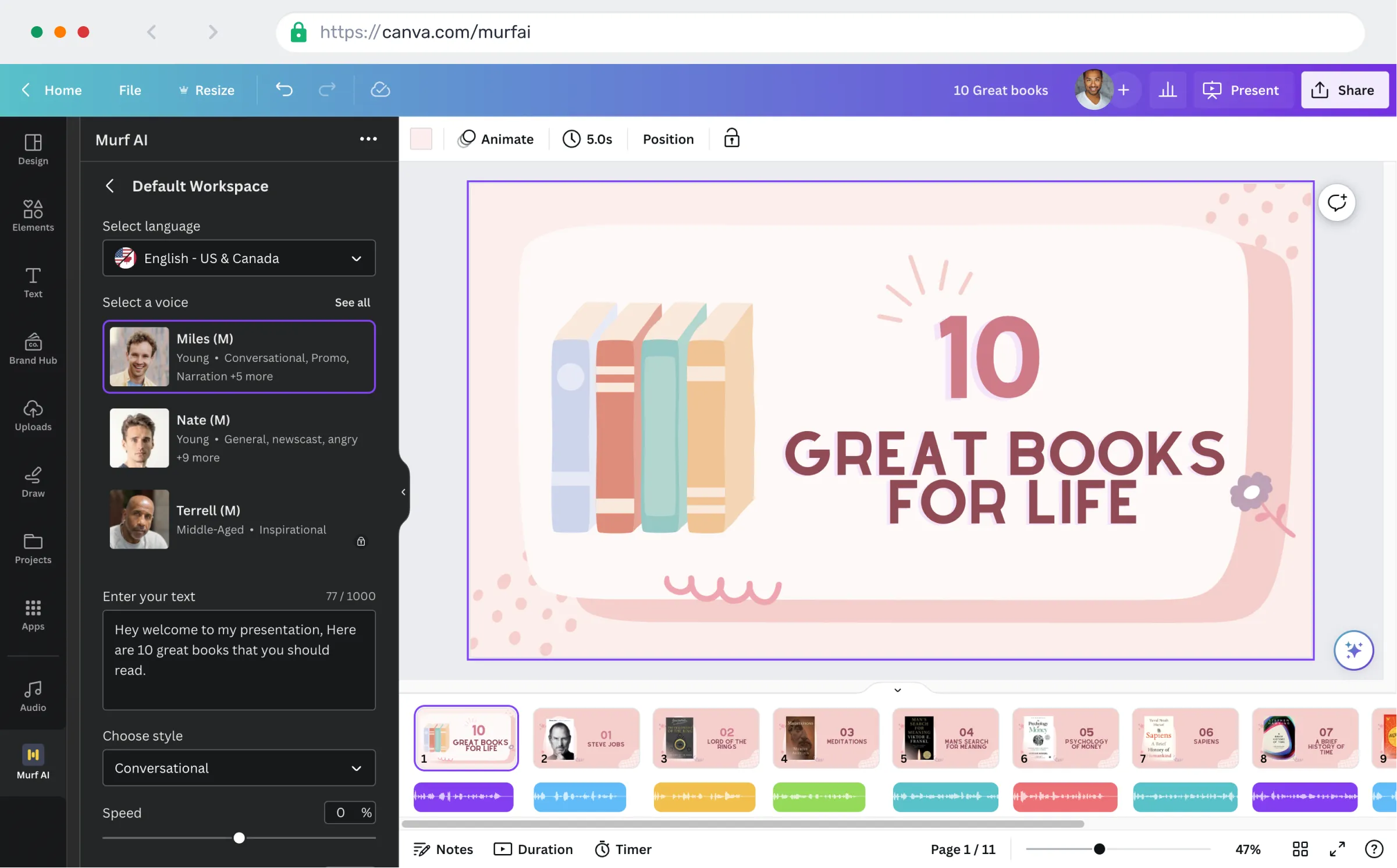
Murf.ai screenshotAdd Voiceovers to Canva Designs 🔥Murf AI vs Speechma: Tried Both & Here's the Winner [2026]Murf AIKits vs. Murf: The Best AI Voice Generators
Murf.aimurf.ai
Murf.ai screenshot
Murf.aimurf.ai

›What is Murf.ai?

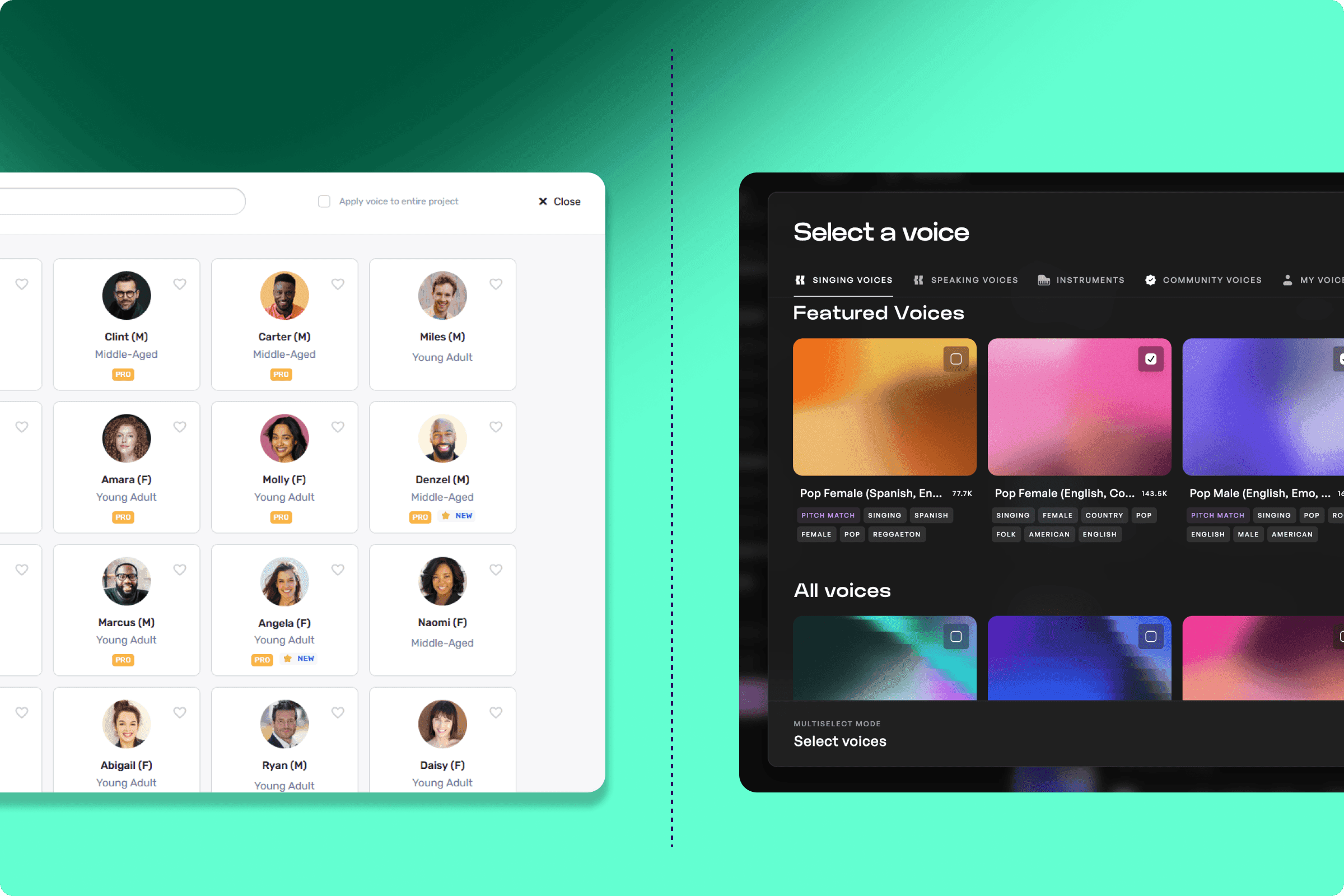
Murf AI is a browser-based text-to-speech and voiceover platform with 200+ AI voices, voice styles, tonalities, and 30+ languages and accents. Users can turn scripts into audio, adjust pronunciation and emphasis, translate or dub videos, and connect the platform to tools such as Canva and PowerPoint. Its APIs support real-time voice applications and conversational agents.

›What are the pros and cons of Murf.ai?

Strengths

The block-based Studio editor is easy to learn and does not require a timeline workflow
Word-level pronunciation, emphasis, variability, and delivery controls support detailed script editing
Paid plans include commercial rights, while Business and Enterprise add business licensing
Canva, PowerPoint, and Google Slides integrations support presentation and video workflows
The Falcon API offers 55ms inference and sub-130ms time to first audio according to the cited benchmark

Trade-offs

The free tier is limited to 10 minutes total, does not allow downloads, and has no commercial rights
Voice generation is allocated in annual hour limits, so repeated takes reduce the remaining allowance
Voice cloning is gated behind Business or Enterprise sales rather than being self-serve
The emotional range is narrower than some competing voice tools for expressive reads
There is no native mobile app, and some homographs require manual phonetic corrections

›What are Murf.ai’s key features?

Generate voiceovers with 200+ AI voices, styles, and tonalities
Adjust pronunciations, emphasis, variability, and delivery with Say It My Way
Translate and dub videos and audio in 20+ languages
Integrate voiceover workflows with Canva, PowerPoint, and Google Slides
Use the Falcon TTS API for voice-agent applications and real-time conversations
Clone a voice through a custom voice clone add-on on eligible plans

›What are the best use cases for Murf.ai?

Create narration for training courses, e-learning modules, and corporate presentations
Produce voiceovers for explainer videos, product walkthroughs, ads, and podcasts
Localize video and audio content with multilingual dubbing
Build customer support, sales, reservation, and recruiting voice agents
Generate presentation narration through Canva, PowerPoint, or Google Slides integrations

›What is the pricing for Murf.ai?

PlanPriceDetails
Free$0 / monthIncludes 10 projects, 10 minutes of voice generation, one editor, and no downloads or commercial rights.
Creator$19 / monthIncludes 100 projects, 24 hrs/Year of voice generation, 200+ voices, unlimited downloads, Canva integration, and commercial rights.
Business$66 / monthIncludes 500 projects, 96 hrs/Year of voice generation, business licensing, emphasis and variability controls, PowerPoint integration, and audio to text.
EnterpriseCustomAdds unlimited voice generation, custom projects and editors, collaboration, SSO, AI translation, security support, and optional custom voice clones.

The pricing page lists Creator at $228 Billed Annually and Business at $792 Billed Annually. Enterprise pricing requires contacting sales.

Checked 2026-08-19 · source

›Who is Murf.ai best for?

corporate training teamsA strong fit for producing structured training and e-learning narration with pronunciation and emphasis controls.
content creatorsUseful for creating and revising voiceovers for videos, presentations, ads, and explainers without recording a voice actor.
developersThe Falcon API suits developers building low-latency voice agents for support, sales, reservations, and recruiting.
enterpriseEnterprise teams get collaboration, SSO, security support, AI translation, and custom voice options.
Not for
  • Skip it if highly expressive or emotionally varied voice performances are the main requirement.
  • Skip it if you need self-serve voice cloning, since custom voice clones are gated behind eligible higher-tier plans.
  • Skip it if a native mobile voiceover workflow is essential.
  • Skip the free tier for commercial production because it has no commercial rights and does not allow downloads.

›What are the best Murf.ai alternatives?

›Where can I try Murf.ai?

Open murf.ai →