Forward Future Tools Library

Smart Upscaler logo

Smart Upscaler

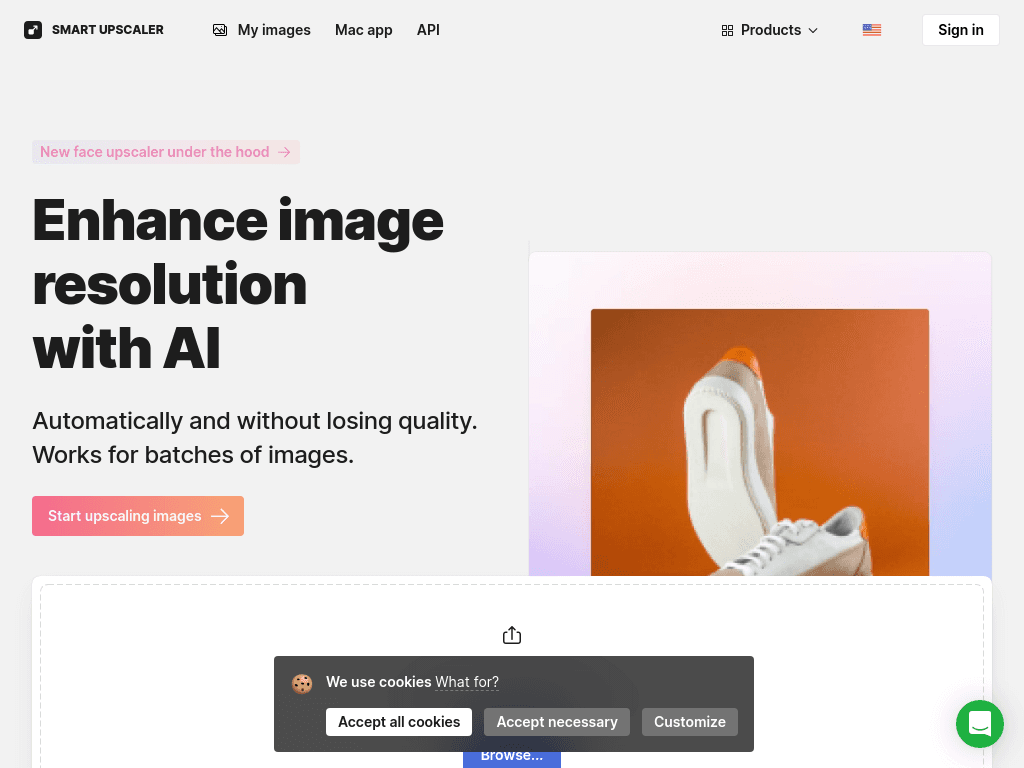
Smart Upscaler enlarges JPG, PNG, and WebP images with AI, including batches of up to 500 files, for photographers, designers, and developers who need higher-resolution assets.

Try Smart Upscaler

icons8.com·From $19.99/mo·Checked 2026-08-29
Smart Upscaler screenshotUI inspiration: design concepts by Icons8 usersNew look: fresh UI for Icons8 main pageClear, intuitive, convenient: big UI update in the Icons libraryDesign inspiration: UI concepts collection with Icons8 graphic elements
Smart Upscalericons8.com
Smart Upscaler screenshot
Smart Upscalericons8.com

What is Smart Upscaler?

Smart Upscaler uses AI super-resolution to increase image resolution while preserving detail and reducing noise. The web tool accepts JPG, PNG, and WebP files, supports batches of up to 500 images, and can produce images up to 7680x7680 pixels. A Mac app also combines upscaling with background removal, while an API supports automated image processing.

What are the pros and cons of Smart Upscaler?

Strengths

Supports large batch uploads of up to 500 images
Preserves image detail while increasing resolution and reducing noise
Offers JPG, PNG, and WebP support
Provides an API for automated image processing
Includes a Mac app with both upscaling and background removal

Trade-offs

The web uploader limits individual files to 5Mb
The tool offers less customization than professional upscaling software
A subscription can be costly for people who upscale images infrequently
Cloud processing creates data privacy and internet-dependency considerations
There is no mobile app

What are Smart Upscaler’s key features?

Upscales JPG, PNG, and WebP images to a maximum of 7680x7680 pixels
Processes batches of up to 500 images
Applies sharpening, noise reduction, and upscaling through the API
Provides a Mac app for image upscaling and background removal
Uses 9 AI credits for each image upscale
Accepts web uploads up to 5Mb per image

What are the best use cases for Smart Upscaler?

Preparing low-resolution product or marketing images for web publishing
Restoring or enlarging older photos for digital archiving or small-format printing
Processing large batches of images for ecommerce or design work
Automating image sharpening, noise reduction, and upscaling in an application through the API
Upscaling images and removing backgrounds in a Mac-based photo workflow

What is the pricing for Smart Upscaler?

PlanPriceDetails
AI & Graphics$19.99/moIncludes Icons8 AI tools, with image upscaling charged at 9 AI credits per generation.

Yearly billing is listed as saving 20%. Extra AI credits cost $2 per 1,000 credits and are included in the next bill when the balance runs out.

Checked 2026-08-29 · source

Who is Smart Upscaler best for?

photographersUseful for quick enlargements and noise reduction when precise manual control is not required.
designersBatch processing, common image formats, and the Mac app suit recurring asset preparation.
developersThe API supports automated sharpening, noise reduction, and upscaling workflows.
small teamA practical option for teams handling image batches, provided the subscription and credit model fit their volume.
Not for
  • Professional photographers who need extensive control over the upscaling process
  • People who need a mobile image-upscaling app
  • Infrequent users who do not want a recurring subscription cost
  • Users working with individual images larger than the web uploader's 5Mb limit

What are the best Smart Upscaler alternatives?

Where can I try Smart Upscaler?

Open icons8.com