Forward Future Tools Library

VoiceToInstrument logo

VoiceToInstrument

VoiceToInstrument turns humming, singing, or uploaded vocal tracks into instrument parts for songwriters, producers, and creators who need quick melody sketches or background music.

Try VoiceToInstrument →

voicetoinstrument.com·From $14.9 / month·Checked 2026-09-29

VoiceToInstrument screenshotAI Voice to InstrumentDesigning a VUIVoicely - Voice AI Mobile App UI KitFree AI Voice Generator Music
VoiceToInstrumentvoicetoinstrument.com
VoiceToInstrument screenshot
VoiceToInstrumentvoicetoinstrument.com

›What is VoiceToInstrument?

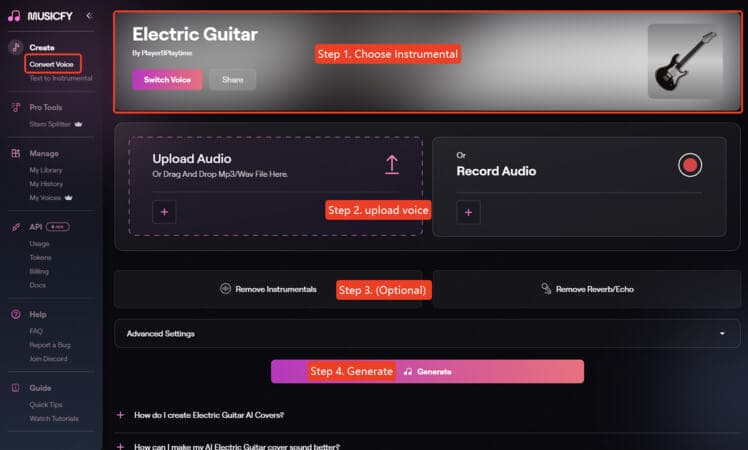
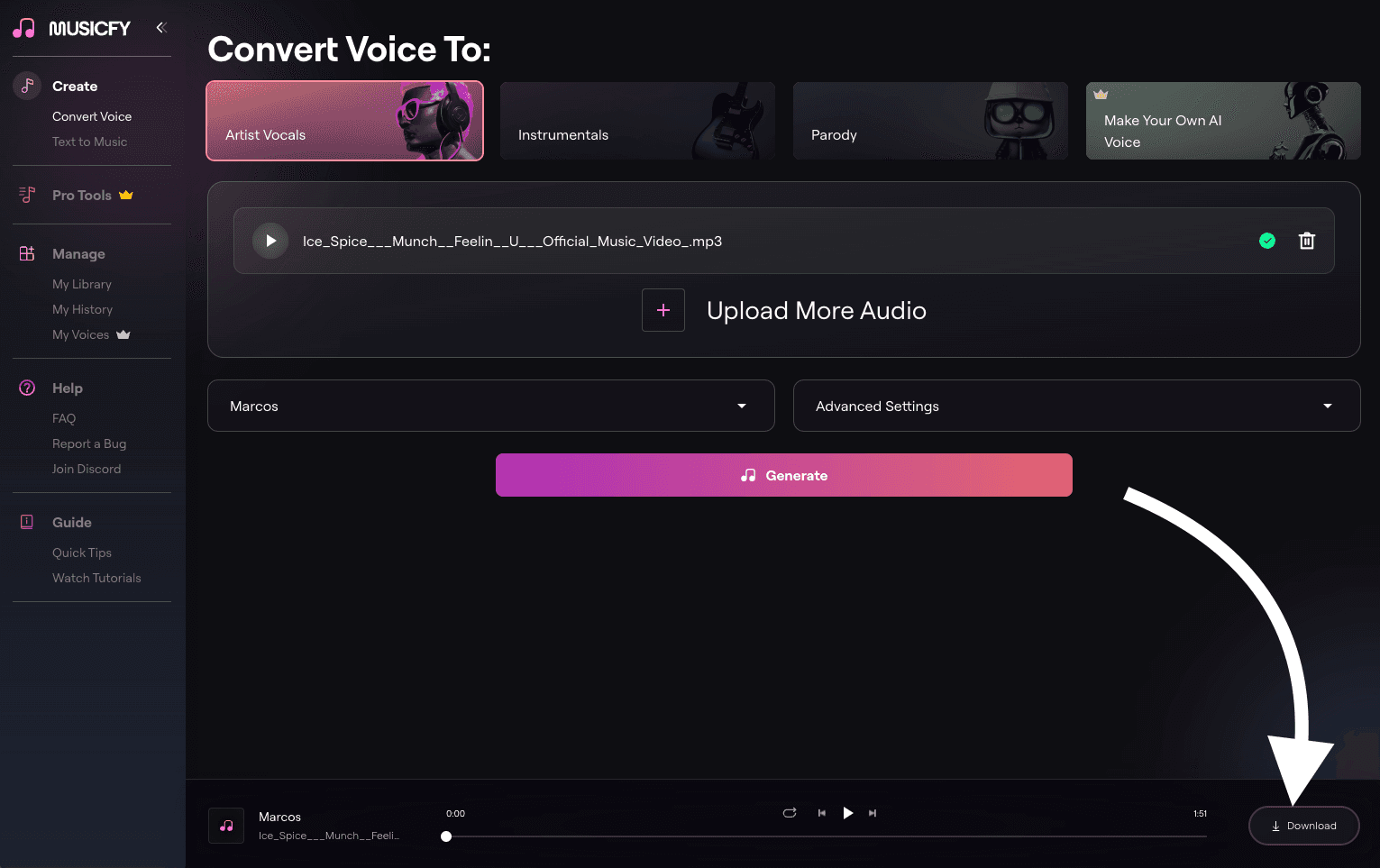
VoiceToInstrument is a browser-based audio converter that analyzes a vocal performance's pitch, timing, and expression, then rebuilds it with a selected instrument sound. Users can record or upload audio, choose an instrument, and open the result in a multi-track Studio. The service also offers related AI music and audio tools.

›What are the pros and cons of VoiceToInstrument?

Strengths

Accepts both browser recordings and uploaded audio files
Preserves the original melody, timing, and expressive dynamics
Provides access to a broad selection of instrument sounds
Runs in a browser without requiring music theory or an instrument
Includes royalty-free track creation for creative projects

Trade-offs

Generation is limited by monthly credits on all listed plans
Multi-track mixdown export is not included with the Starter plan
The pricing page lists 13+ AI instrument models, while the homepage claims 100+
The service is primarily designed for short vocal-to-instrument generation rather than a full digital audio workstation

›What are VoiceToInstrument’s key features?

Converts recorded, uploaded, or hummed vocals into instrument tracks
Offers instrument models including piano, guitar, violin, saxophone, drums, flute, bass, and strings
Preserves the source melody, rhythm, pitch, and performance dynamics
Provides browser-based recording and drag-and-drop audio upload
Includes multi-track Studio access and mixdown export on the Creator plan and above
Supports HD audio downloads

›What are the best use cases for VoiceToInstrument?

Turn a hummed melody into a piano, guitar, violin, or other instrument demo
Sketch separate guitar, bass, piano, and drum parts for a song arrangement
Create original background music for YouTube and TikTok videos
Develop music for film, video, podcasts, or other content
Convert vocal ideas into downloadable audio for further production

›What is the pricing for VoiceToInstrument?

PlanPriceDetails
Starter$14.9 / month100 credits per month, multi-track Studio access, 13+ AI instrument models, AI Music and Cover generation, and HD audio download.
Creator$39.9 / monthEverything in Starter, plus 350 credits per month, multi-track mixdown export, and email support.
Pro$79.9 / monthEverything in Creator, plus 1,000 credits per month, priority email support, and early access to new features.

The pricing page shows monthly prices of $19.9, $49.9, and $99.9, with the listed lower rates for annual billing. Plans can be canceled anytime.

Checked 2026-09-29 · source

›Who is VoiceToInstrument best for?

songwritersA strong fit for turning hummed ideas into instrument demos without playing the target instrument.
music producersUseful for sketching multiple arrangement parts and continuing the work in a browser-based Studio.
content creatorsWorks well for making original background tracks for video and podcast projects.
Not for
  • People who need a full digital audio workstation with broad editing and mixing capabilities.
  • Users who need unlimited generation without monthly credit limits.
  • Buyers who require a confirmed 100+ instrument catalog, because the pricing page lists 13+ models.


›What are the best VoiceToInstrument alternatives?

›Where can I try VoiceToInstrument?

Open voicetoinstrument.com →