

Forward Future Tools Library

Argil
Argil turns scripts into short videos with a custom AI clone or generic avatar, making it useful for creators and marketers producing social and UGC-style content without filming each clip.
Try Argil →
argil.ai·Freemium



›What is Argil?
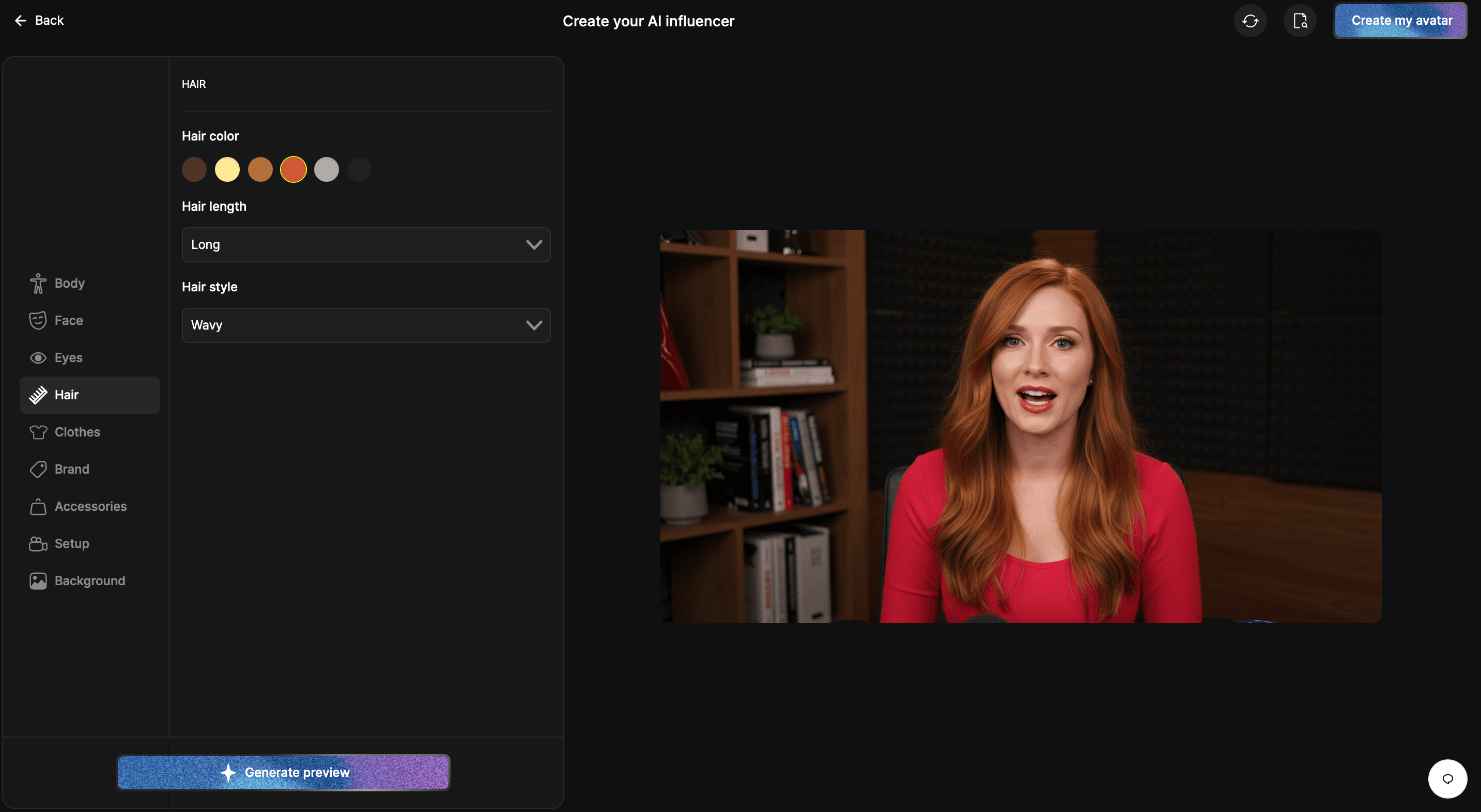
Argil is an AI video creation platform for making films, series, and social videos from scripts. Users can train a custom clone with a two-minute speaking video, then generate clips with avatar speech, facial expressions, body movements, lip sync, multiple languages, and product interactions.
›What are the pros and cons of Argil?
Strengths
Removes the need for filming setups, cameras, or actors
Supports custom clones as well as generic avatars
Includes avatar expressions, gestures, lip sync, and product actions
Works for multilingual video output
Browser-based workflow supports quick content production
Trade-offs
Lip-sync accuracy can vary with script structure and pacing
Best results depend on well-written scripts
Custom clone creation requires recording and uploading a two-minute training video
Clone training can take several hours before the avatar is ready
›What are Argil’s key features?
Generates talking-avatar videos directly from written scripts
Creates a custom AI clone from a two-minute speaking video
Supports facial expressions, body movements, and lip sync
Produces multilingual voice output
Lets avatars hold products or navigate environments
Runs in a browser without requiring software installation
›What are the best use cases for Argil?
Creating short marketing videos for campaigns
Producing UGC-style advertising without cameras or actors
Generating recurring social videos for TikTok, Instagram Reels, or YouTube Shorts
Creating product showcase videos with an avatar
Publishing scripts in multiple languages
›What is the pricing for Argil?
Freemium
›Who is Argil best for?
soloSolo creators can produce recurring short-form videos without repeatedly appearing on camera.
marketersMarketers can use scripted avatars for campaign clips, UGC-style ads, and product showcases.
content creatorsContent creators get a workflow built around custom clones, vertical social videos, and script-led production.
Not for
- People looking primarily for image generation, photo editing, or design templates should use a visual design tool instead.
- Users who do not want to record a training video may prefer a platform based only on stock avatars.
- Teams seeking a conventional live-filming or full video-editing workflow may need a different tool.
›What are the best Argil alternatives?
 SkyReels AIChoose this instead if you need customizable AI-generated video content beyond avatar-led clips.→
 Zebracat AIChoose this instead if your priority is creating and optimizing broader business video content.→
 Shakker.aiChoose this instead if you want a tool oriented toward personalized marketing videos.→
 Typeface→