

Forward Future Tools Library

BeMusic AI
BeMusic AI turns text prompts or lyrics into instrumental tracks and full songs with AI vocals, then lets creators preview, refine, and download music for videos, podcasts, games, and social posts.
bemusic.ai·Free + paid plans·Checked 2026-11-03


›What is BeMusic AI?
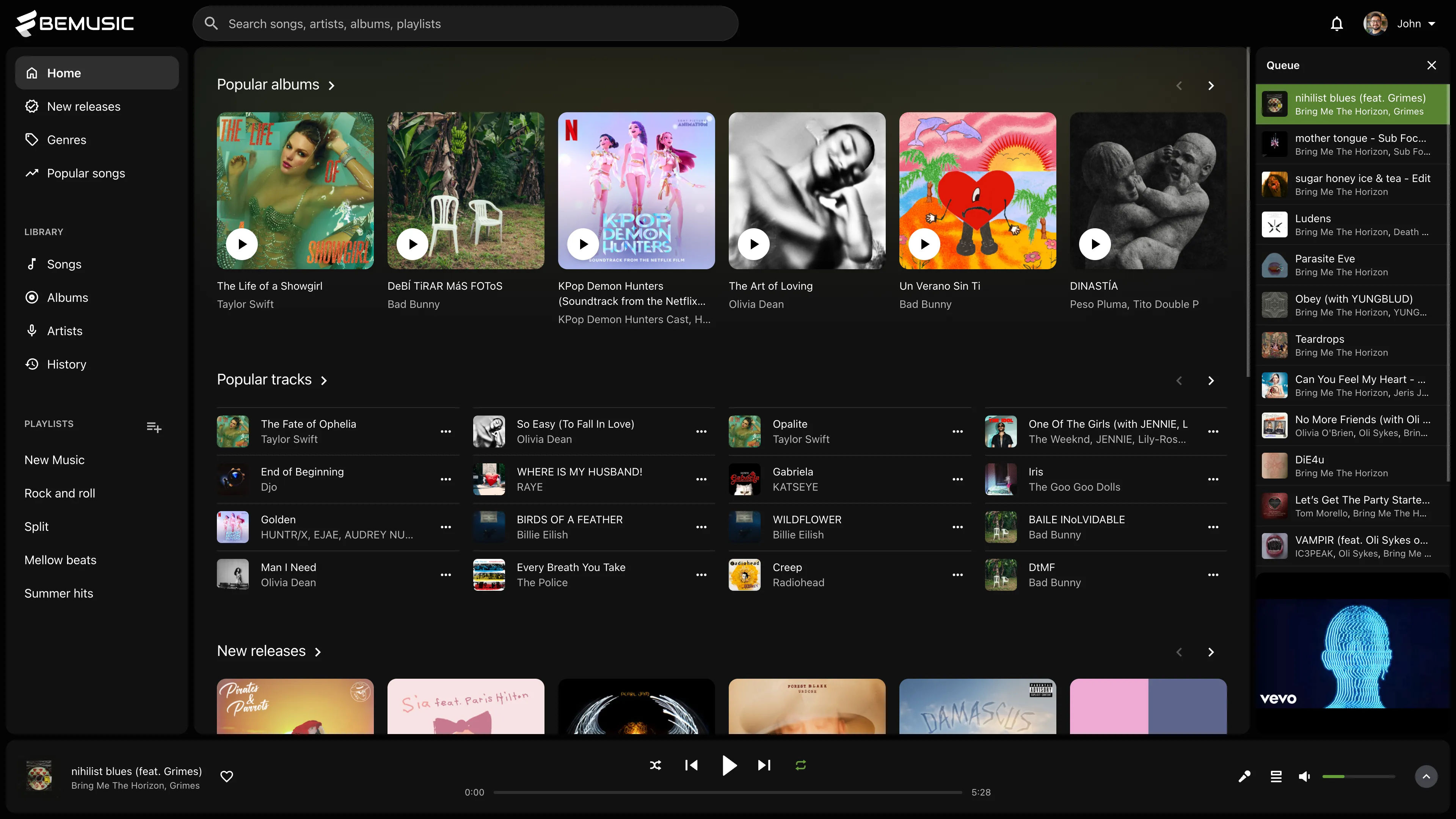
BeMusic AI is a browser-based text-to-music generator. It creates instrumental tracks or complete songs with AI-generated vocals and lyrics from descriptions of genre, mood, tempo, instruments, or use case. Users can bring their own lyrics, preview results, refine prompts, and download MP3 or WAV files.
›What are the pros and cons of BeMusic AI?
Strengths
Trade-offs
›What are BeMusic AI’s key features?
›What are the best use cases for BeMusic AI?
›What is the pricing for BeMusic AI?
| Plan | Price | Details |
|---|---|---|
| Free | Free | 30 one-time credits for up to 2 songs in the pricing comparison. |
| Creator | $12/month | 1,600 monthly credits, up to 160 songs, MP3 and WAV downloads, premium AI models, private generation, and tracks up to 8 minutes. |
| Pro | $16/month first year, then $32/month | 4,500 monthly credits, up to 450 songs, commercial-use licensing, priority generation, AI music video generation, voice cloning, and up to four parallel generations. |
| Studio | $64/month | 14,000 monthly credits, up to 700 generations or 1,400 songs, commercial-use licensing, priority generation, and up to eight parallel generations. |
Creator is listed at $144 billed yearly. Pro is shown as 50% off for the first year at $16/month, then renews at $384/year. Studio is $768 billed yearly. The homepage also advertises a 3-day free trial with 20 credits per day and up to 2 songs per day.
Checked 2026-11-03 · source
›Who is BeMusic AI best for?
- Creators who need commercial-use rights on the lower-priced Creator plan
- Users seeking a dedicated music production environment with capabilities beyond AI generation and browser-based refinement
- Teams that need the higher-volume limits, priority generation, or parallel processing available only on Studio
›What are the best BeMusic AI alternatives?
 AI Music MakerChoose this instead if you want a broader workspace for songs, beats, lyrics, vocal removal, and stem separation.→
 MusikChoose this instead if your workflow requires AI covers, track extension, and music editing in one workspace.→
 SoundrawChoose this instead if your priority is tailored royalty-free music rather than full songs with AI vocals and lyrics.→
 One Custom Song→