
Forward Future Tools Library

OldPhotoLive AI
OldPhotoLive AI repairs, colorizes, and adds subtle motion to old photos for families, genealogists, and creators who want downloadable image or video keepsakes.
Try OldPhotoLive AI →
oldphotoliveai.com·From $1.99 USD·Checked 2026-11-16

›What is OldPhotoLive AI?
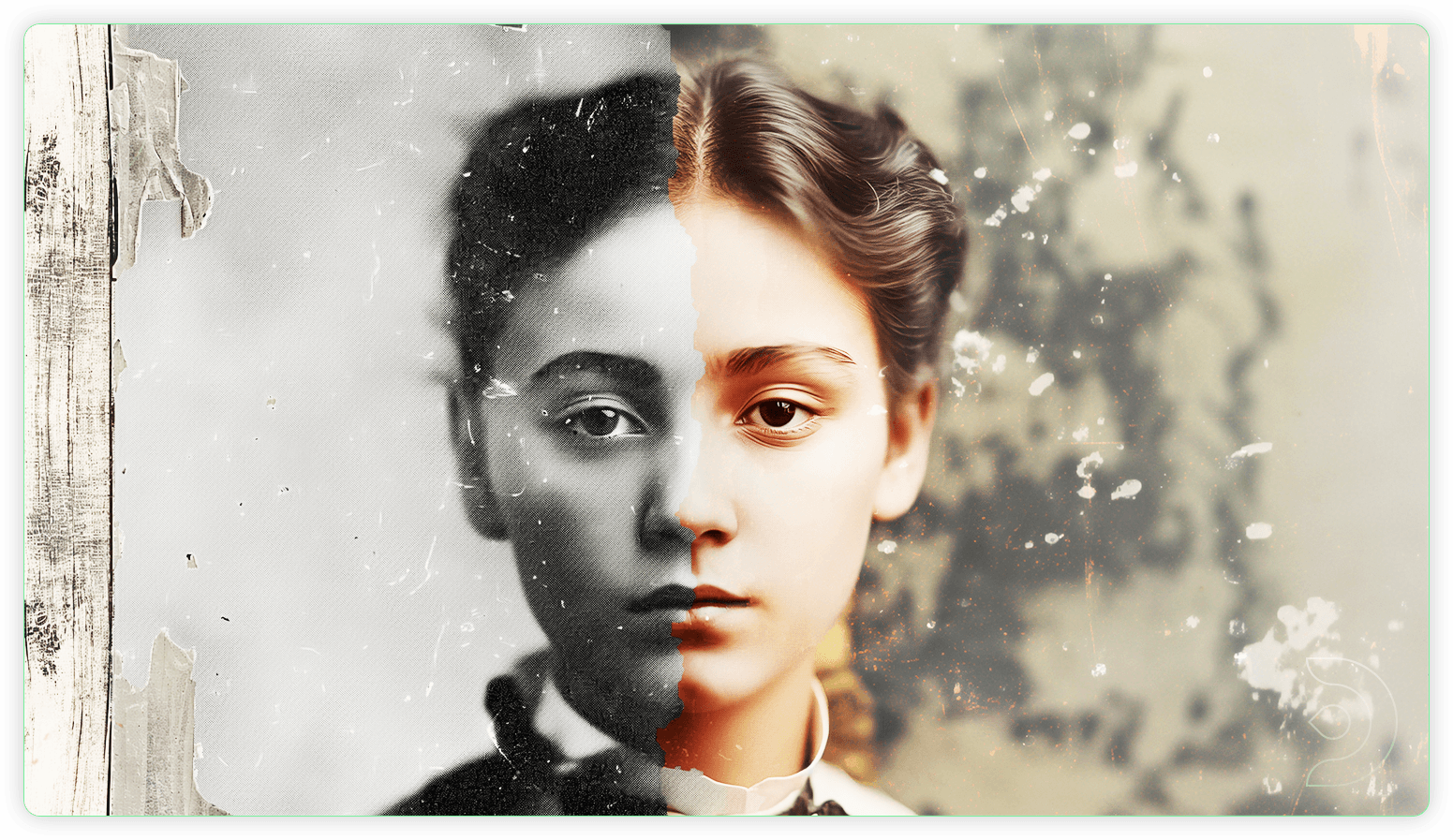
OldPhotoLive AI is a browser tool for restoring damaged photos, adding AI-estimated color to black-and-white images, and animating portraits. Users upload JPEG, PNG, or WebP files, choose a workflow, and download a watermark-free image or short video. Processing usually takes a few minutes.
›What are the pros and cons of OldPhotoLive AI?
Strengths
Combines restoration, colorization, and animation in one workflow
Charges per photo rather than requiring a subscription
Delivers complete results without a watermark
Supports uploads from a phone as well as standard image formats
Includes one retry at no extra cost after a confirmed technical failure
Trade-offs
AI cannot guarantee that missing details or colors are historically accurate
A new workflow for the same photo uses another credit
Uploads are limited to JPEG, PNG, or WebP files up to 10 MB
It is not designed for bulk professional retouching
›What are OldPhotoLive AI’s key features?
Restores faded photos, removes scratches, and repairs visible damage
Adds AI-estimated color to black-and-white photographs
Creates short animated clips with subtle facial motion
Supports JPEG, PNG, and WebP uploads up to 10 MB
Provides watermark-free image and video downloads
Offers before-and-after comparison with the original photo
›What are the best use cases for OldPhotoLive AI?
Repairing faded family prints for a digital archive
Colorizing black-and-white portraits for relatives or family albums
Creating a short moving clip from a recognizable portrait
Preparing restored images for genealogy projects or memorials
›What is the pricing for OldPhotoLive AI?
| Plan | Price | Details |
|---|---|---|
| One photo | $1.99 USD | One uploaded photo processed with one selected tool, with a watermark-free result. |
| Starter Pack | $4.99/ 10 credits | 10 processing jobs, images up to 2K, 720p HD video, and watermark-free downloads. |
| Family Pack | $9.99/ 25 credits | 25 processing jobs, images up to 2K, 720p HD video, and watermark-free downloads. |
| Archive Pack | $19.99/ 60 credits | 60 processing jobs, images up to 2K, 720p HD video, and watermark-free downloads. |
Credit packs are one-time purchases, and credits are valid for 365 days after payment is confirmed. Pay once for a photo or pack, with no subscription.
Checked 2026-11-16 · source
›Who is OldPhotoLive AI best for?
soloA fit for individuals restoring a small number of family photos without signing up for a recurring plan.
genealogistsUseful for repairing scans and adding color to portraits used in genealogy projects.
content creatorsWorks for making short, watermark-free portrait clips from restored images.
small teamThe Archive Pack can support a modest batch of photos, but the per-workflow credit model limits larger production jobs.
Not for
- Professional restoration teams that need bulk retouching or a larger production workflow
- Users who require guaranteed historical accuracy for reconstructed details or colors