

Forward Future Tools Library

Diagrimo
Diagrimo turns written ideas into editable diagrams, charts, and infographics for students, educators, presenters, and teams that need visuals without designing them from scratch.
Try Diagrimo →
tenorshare.ai·Free + paid plans·Checked 2026-09-08


›What is Diagrimo?
Diagrimo converts text into structured diagrams, charts, and infographics using AI. It can generate flowcharts, fishbone diagrams, mind maps, pyramids, and other visual formats, then lets users adjust text, shapes, colors, lines, and layouts. Users can export visuals as PDFs or images and share them by link or email.
›What are the pros and cons of Diagrimo?
Strengths
Creates several diagram types directly from written input
Allows detailed editing of text, shapes, colors, lines, and layouts
Includes writing assistance for rewriting, translation, grammar, and tone changes
Offers a free plan with daily credits
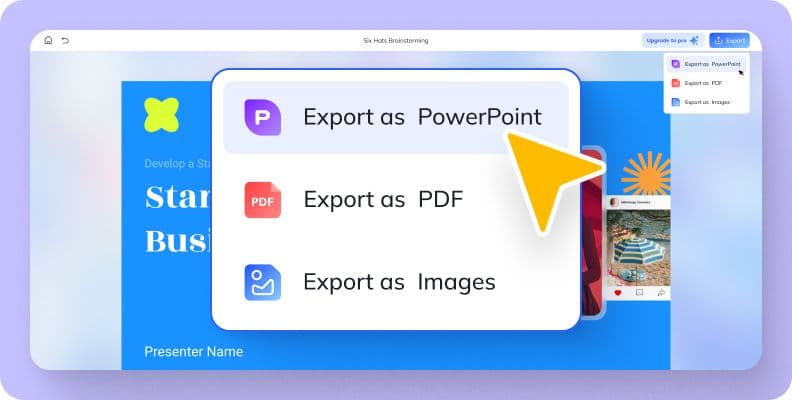
Supports PDF and image export plus link and email sharing
Trade-offs
Free users have a daily credit allowance and must wait for credits to reset after using it
Visual generation and AI Assistant use credits, around one credit per use
Watermark-free exports, premium templates, higher limits, and extended history require Plus
›What are Diagrimo’s key features?
Converts text into diagrams, charts, and infographics with one click
Generates flowcharts, fishbone diagrams, mind maps, pyramids, and step diagrams
Customizes text, shapes, lines, colors, layouts, and other visual elements
AI Assistant for generating, rewriting, simplifying, translating, and improving text
Exports and downloads visuals as PDF or image files
Shares visuals by link or email
›What are the best use cases for Diagrimo?
Turn project plans, workflows, or meeting ideas into process diagrams
Create visual study guides and educational materials from lesson content
Prepare diagrams and infographics for presentations and reports
Convert written ideas into visuals for blog posts and social media
Organize complex concepts into mind maps, pyramids, or other structured diagrams
›What is the pricing for Diagrimo?
| Plan | Price | Details |
|---|---|---|
| Free | Free | Basic features with a daily allowance of free credits. |
| Plus Monthly | $9.99/mo | More credits, watermark-free exports, premium templates, extended history, early feature access, and priority support. |
| Plus Yearly | $6.99/mo | Plus features at the annual billing rate, with credits resetting monthly. |
$0 for 7 days, then $9.99/month applies to the monthly plan. The annual plan is billed annually and is described as 30% off.
Checked 2026-09-08 · source
›Who is Diagrimo best for?
studentsUseful for turning notes and difficult concepts into visual study materials on a free plan.
educatorsLesson content can be converted into diagrams and visual guides for teaching.
content creatorsA practical option for producing diagrams and infographics for presentations, blogs, and social posts.
small teamShared links, email delivery, and visual editing support project communication and review.
Not for
- Buyers who primarily need PDF summarization should use a document-focused tool instead.
- Users who need unlimited free generation may find the daily credit allowance restrictive.
›What are the best Diagrimo alternatives?
 AI WriterChoose this instead if the main task is producing articles, marketing copy, or SEO content rather than diagrams.→
 MindGraspChoose this instead if the priority is generating notes and answers from existing learning materials.→
 Notion AIChoose this instead if writing, brainstorming, and organizing information inside a broader workspace matter more than visual diagram generation.→
 Digestly→