

Forward Future Tools Library

EduGears AI
EduGears AI combines a white-label LMS, AI tools for existing LMS platforms, and cross-LMS course publishing for schools, universities, educators, and training teams.
edugears.ai·From $10 for 1,000 credits·Checked 2026-11-03
›What is EduGears AI?
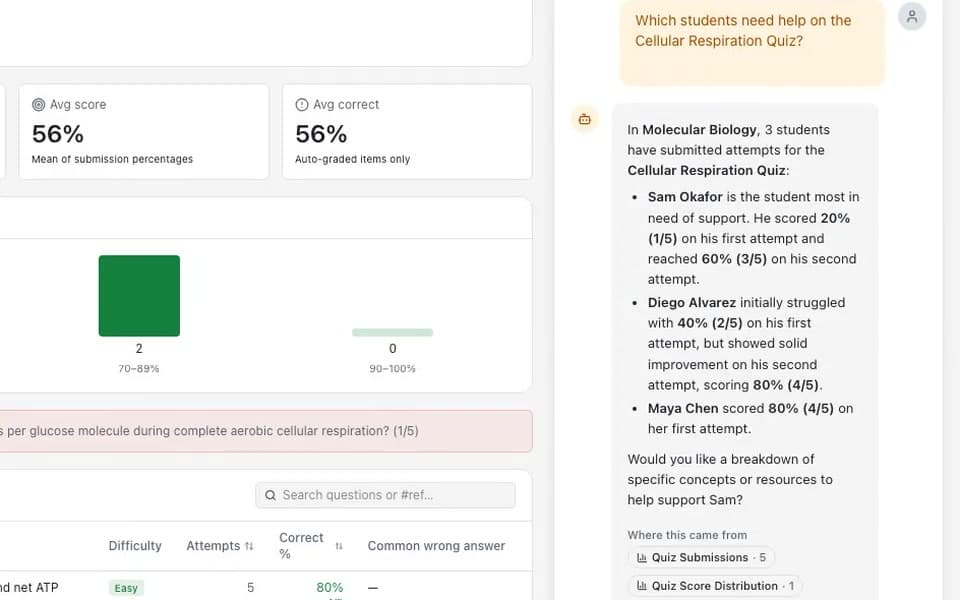
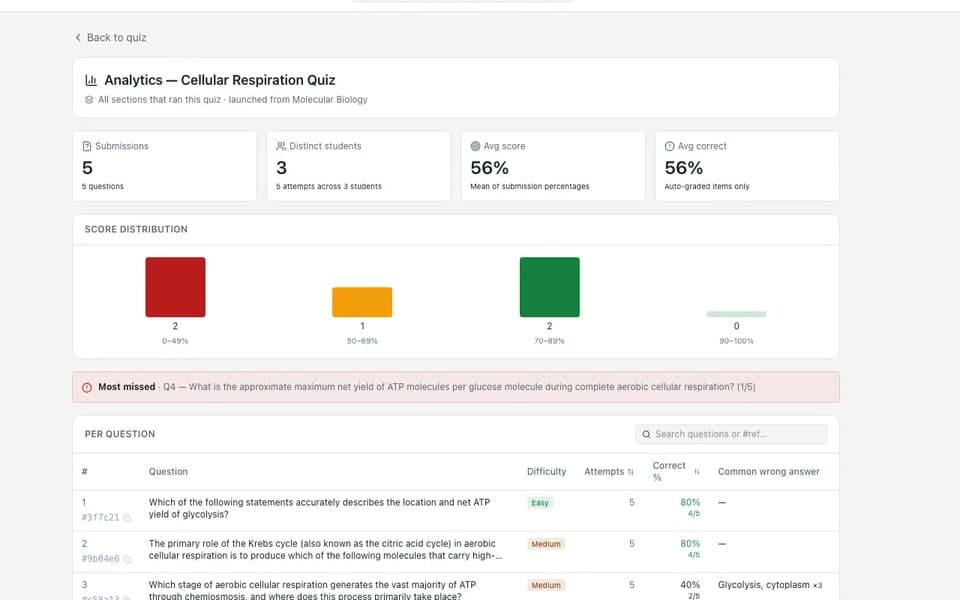
EduGears AI offers a white-label LMS, a Moodle Certified LTI 1.3 integration, and a course authoring studio. Its tools generate courses, lessons, quizzes, study materials, and grading workflows from syllabi or instructor materials. The platform also includes learner tutoring, analytics, student records, live meetings, certificates, and AI assistant connections.
›What are the pros and cons of EduGears AI?
Strengths
Trade-offs
›What are EduGears AI’s key features?
›What are the best use cases for EduGears AI?
›What is the pricing for EduGears AI?
| Plan | Price | Details |
|---|---|---|
| EduGears AI for Moodle & Canvas Educator Seat | $19.99 per educator seat per year | Includes access for educators, with learners free. |
| EduGears AI LMS | Contact us for a quote | Organization-specific pricing with educator seats and unlimited learners. |
| EduGears AI Studio Author Seat | $19.99 per author per year | Authors and publishes courses with AI; the first course is free with 100 AI credits. |
| AI Credit Packs | $10 for 1,000 credits | Additional credits for AI tasks on Moodle and Canvas and Studio; purchased credits never expire. |
Moodle and Canvas starts with a free trial including 200 AI credits. Studio includes 100 AI credits for the first course. BYOK is available across all products.
Checked 2026-11-03 · source
›Who is EduGears AI best for?
- Organizations seeking fully predictable LMS pricing should note that the AI LMS requires a tailored quote.
- Teams that want automated grading or integrity detection to operate without human review should look elsewhere.
- Institutions without an LTI 1.3-compatible LMS may need to use manual course-file imports with Studio.
›What are the best EduGears AI alternatives?
 Coursebox AIChoose this instead if your priority is AI-assisted course creation and management rather than a white-label LMS or LTI deployment.→
 CogniiChoose this instead if personalized AI learning assistance and assessment are more important than LMS infrastructure.→
 TeacherMaticChoose this instead if you mainly need educator workflows for lesson planning and classroom resource creation.→
 IntelGraderChoose this instead if grading intelligence and curriculum-level mastery analysis are the central requirement.→