

Forward Future Tools Library
Humanizer
Humanizer revises AI-written drafts for more natural phrasing while giving writers tools to compare, edit, copy, or export the result.
Try Humanizer →
logrunlab.com

›What is Humanizer?
Humanizer is a browser-based editor for AI-written drafts. It targets stiff phrasing, repetitive rhythm, awkward transitions, and overly generic or formal wording while prioritizing the original meaning and important details. Users can compare the rewritten text with the source, edit it, copy it, or export it as a PDF.
›What are the pros and cons of Humanizer?
Strengths
Focuses on improving readability without intentionally changing the draft's meaning
Includes a comparison step so users can check the result against the original
Supports direct editing, copying, and PDF export
Does not create server-side history of Humanizer inputs or results
Provides explicit checks for facts, numbers, names, links, commands, and other exact details
Trade-offs
Each request is limited to 1,000 words and 20,000 characters
The temporary browser or profile limit allows up to 3 runs per 24 hours
Text is sent to an external AI provider, and a fallback provider may not guarantee zero data retention
The tool does not guarantee perfect preservation of every important detail
It does not certify authorship or provide an undetectable status
›What are Humanizer’s key features?
Rewrites AI-written passages to reduce stiff or formulaic phrasing
Targets repetitive rhythm, awkward transitions, and generic or overly formal wording
Accepts pasted or typed drafts up to 1,000 words and 20,000 characters
Provides original and humanized text for comparison
Allows users to edit, copy, or export the result as a PDF
›What are the best use cases for Humanizer?
Editing AI-assisted marketing or product drafts
Improving the flow of social posts and other short-form writing
Replacing repetitive, stiff, or overly formal wording in an existing draft
Reviewing and revising AI-generated technical text before publication
›Who is Humanizer best for?
writersUseful for writers who want to revise AI-assisted drafts while retaining control over the final wording.
marketersMarketing teams can use it to soften formulaic language in short drafts and social posts.
technical writersA workable option for technical drafts when users are prepared to verify identifiers, commands, links, facts, and qualifications.
small teamBest suited to lightweight browser-based editing rather than shared, high-volume content operations.
Not for
- Users seeking AI-detector evasion or an undetectable status should skip it because those outcomes are outside its purpose.
- Teams processing confidential drafts should look elsewhere or conduct a privacy review because text is sent to an external AI provider.
- Users revising long documents or running many iterations should avoid it because requests and daily runs are limited.
›What are the best Humanizer alternatives?
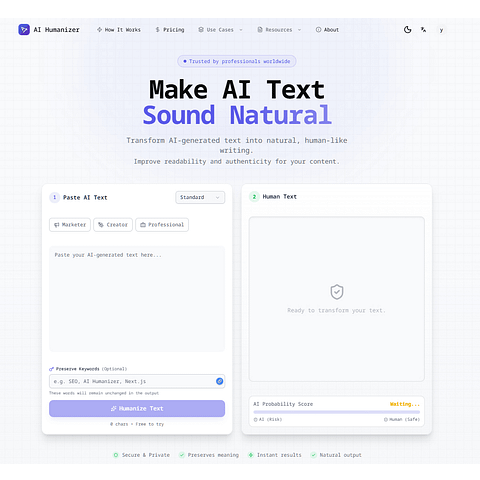 AI HumanizerChoose this instead if you want a tool specifically positioned to detect AI-like writing patterns as part of the rewrite.→
 MeteGPTChoose this instead if your main need is broader assistance with AI-assisted English drafts rather than a focused humanization pass.→
 AI UndetectableChoose this instead if you need text and image AI-likelihood checks alongside rewriting and review.→
 BrandVector→