

Forward Future Tools Library

HyperWrite
HyperWrite adds AI autocomplete, drafting, rewriting, research, and citations to browser-based writing workflows for writers, marketers, and researchers.
Try HyperWrite →
hyperwriteai.com·Free + paid plans·Checked 2026-08-20

›What is HyperWrite?
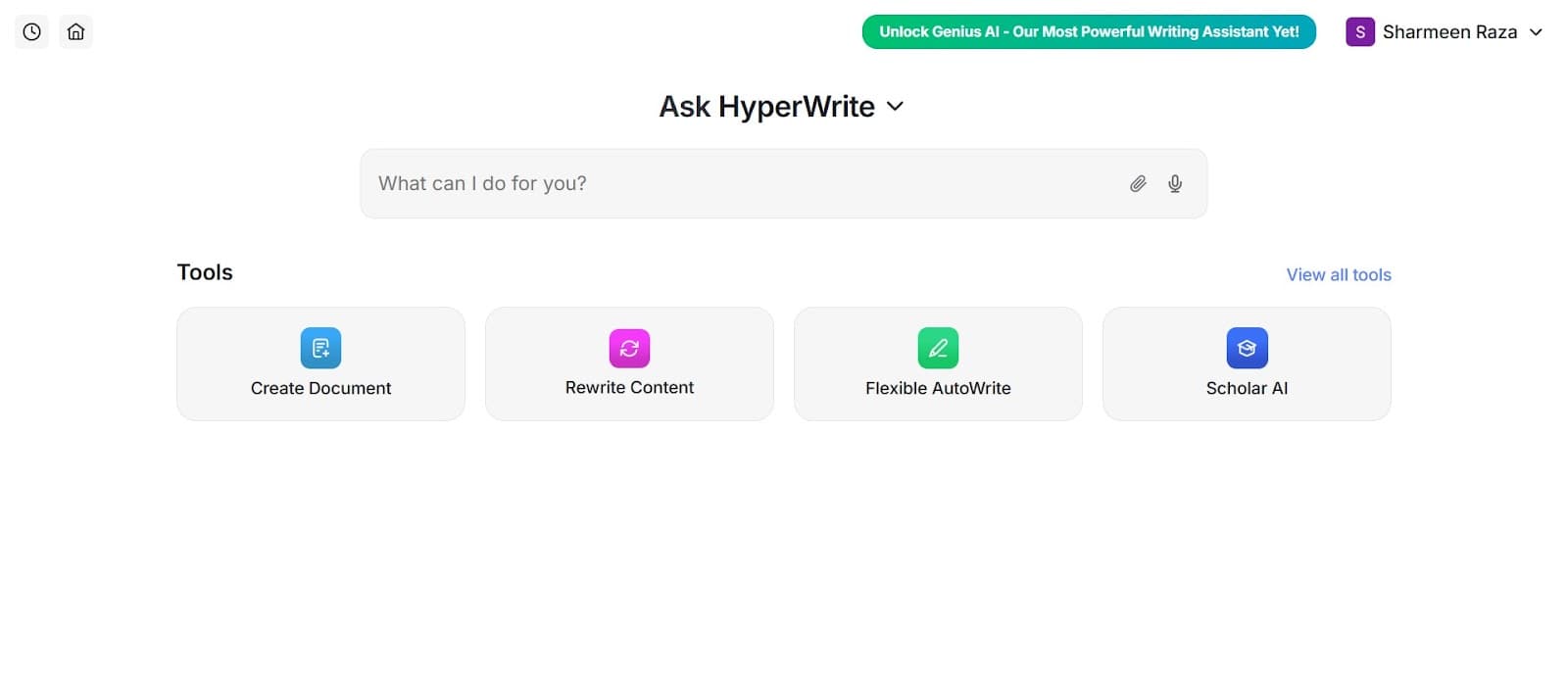
HyperWrite is an AI writing assistant with a Chrome extension, web document editor, chat assistant, and research tools. It suggests sentences as you type, drafts or rewrites text, responds to emails, and searches scholarly articles for citation-backed information. Users can also create custom AI tools and use pre-made writing tools.
›What are the pros and cons of HyperWrite?
Strengths
The Chrome extension provides writing assistance across many websites and text fields.
Scholar AI combines real-time research with citation-backed results.
TypeAhead offers personalized sentence completions while users write.
Custom personas can adapt output to a user's writing style.
The service includes hundreds of pre-made AI writing tools.
Trade-offs
The Premium plan limits users to 250 AI messages per month.
The tool is English only.
Reviews report no team or brand voice features.
The Free account provides limited monthly credits and access to basic AI.
›What are HyperWrite’s key features?
TypeAhead provides context-aware sentence completions as you type.
AutoWrite drafts paragraphs and other content from a prompt.
Chrome extension adds writing help to Gmail, Google Docs, LinkedIn, and other web text fields.
Scholar AI searches scholarly articles and papers for research results with citations.
AI tools support summarizing, simplifying, rewriting, email responses, speeches, and general writing.
Custom personas adapt the assistant to a user's writing style and behavior.
Custom AI tools can be created for specific workflows.
›What are the best use cases for HyperWrite?
Drafting and refining emails directly in Gmail.
Writing or editing documents in Google Docs without switching tabs.
Creating blog posts, marketing copy, technical documents, and creative writing.
Researching academic topics with results from scholarly articles and citation links.
Summarizing articles and simplifying complex explanations.
Generating responses and posts in browser-based tools such as LinkedIn.
›What is the pricing for HyperWrite?
| Plan | Price | Details |
|---|---|---|
| Free | Free | Limited monthly credits on the basic AI. |
| Premium, monthly | $19.99/mo | 250 AI messages per month, citations and real-time information, 3 custom personas, hundreds of AI tools, and unlimited TypeAheads. |
| Ultra, monthly | $44.99/mo | Unlimited AI messages, 10 custom personas, first access to experimental features, and unlimited TypeAheads. |
| Premium, annual | $16/month | 250 AI messages per month, citations and real-time information, 3 custom personas, hundreds of AI tools, and unlimited TypeAheads. |
| Ultra, annual | $29/month | Unlimited AI messages, 10 custom personas, first access to experimental features, and unlimited TypeAheads. |
Annual plans are billed at $192/year for Premium and $348/year for Ultra.
Checked 2026-08-20 · source
›Who is HyperWrite best for?
writersA fit for writers who move between browser-based editors and want autocomplete, drafting, rewriting, and research in place.
marketersUseful for marketers producing emails, social posts, blog content, and other short-form copy across multiple web apps.
researchersScholar AI supports researchers who need to search scholarly papers and include citations while writing.
Not for
- Teams that need shared team features or centralized brand voice controls should skip it.
- Writers who need non-English writing assistance should look elsewhere.
- Users who regularly exceed 250 AI messages per month will need the higher-priced Ultra plan.
›What are the best HyperWrite alternatives?
 AI WriterChoose this instead if your main requirement is generating articles for marketing, SEO, or academic work.→
 WordtuneChoose this instead if revision, rewriting, and clarity improvements matter more than browser-wide drafting and research.→
 Copy.aiChoose this instead if your work centers on marketing copy, blog posts, and email generation.→
 AI Writing Assistant→