

Forward Future Tools Library

MiniMax H3
MiniMax H3 creates short 5 to 15-second videos from text, images, video, and audio references, with native stereo sound and targeted natural-language edits for designers, marketers, and small studios.
minimax-h3.kr·Custom pricing·Checked 2026-11-03

›What is MiniMax H3?
MiniMax H3 is a browser-based multimodal video generator for creating 5 to 15-second clips from text, images, video, and audio. It supports 768p generation with 2K and 4K upscaling, six aspect ratios, native stereo audio, and natural-language edits that can change selected parts of a scene.
›What are the pros and cons of MiniMax H3?
Strengths
Trade-offs
›What are MiniMax H3’s key features?
›What are the best use cases for MiniMax H3?
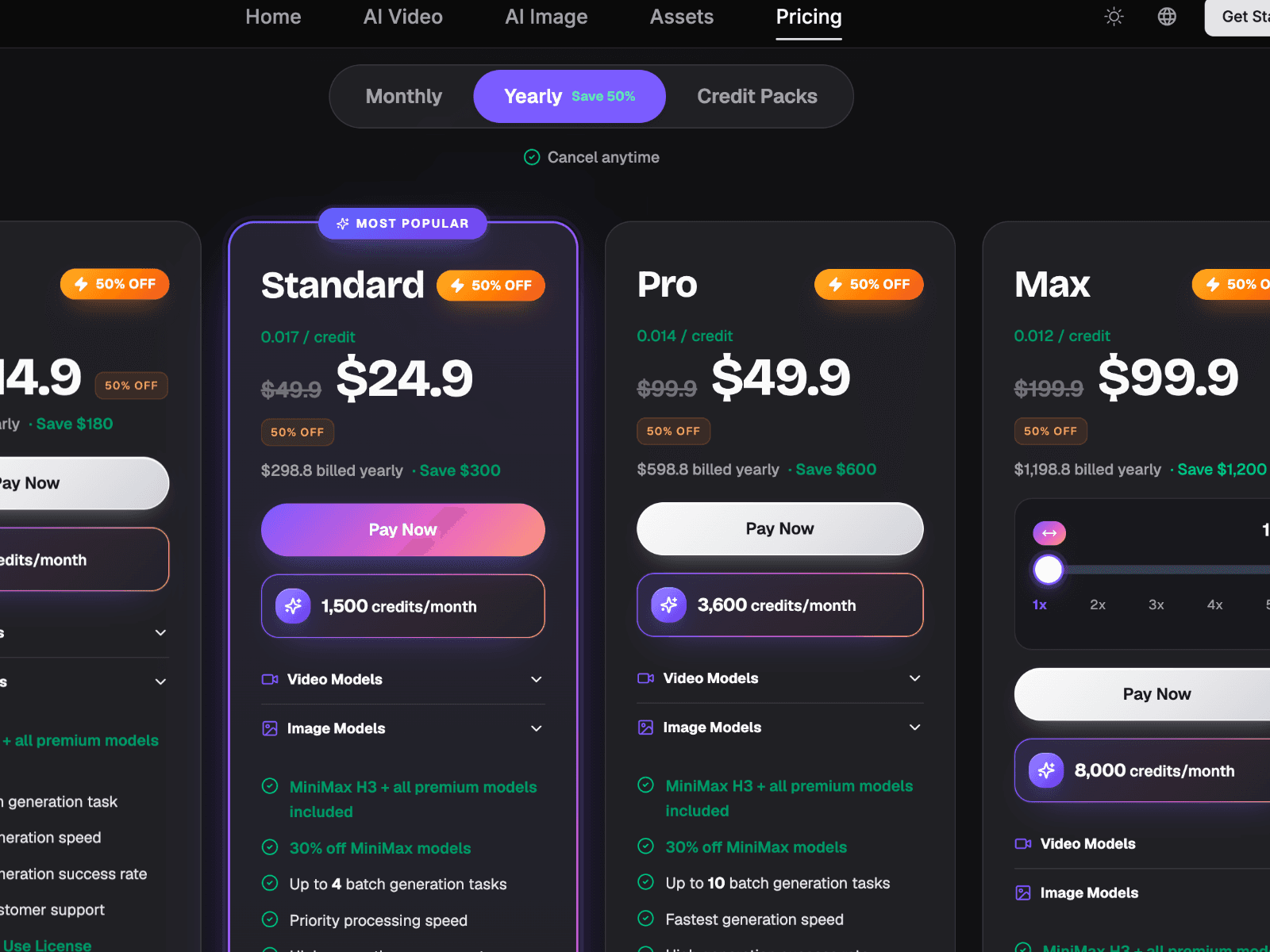
›What is the pricing for MiniMax H3?
| Plan | Price | Details |
|---|---|---|
| 베이직 | ₩15,000/월 | 250 credits per month, up to 10 MiniMax H3 768p 5-second videos, 2K and 4K upscaling, private generation, and commercial use. |
| 프로 | ₩35,000/월 | 640 credits per month, up to 25 MiniMax H3 768p 5-second videos, faster queue, priority support, saved generation history, and commercial use. |
| 엔터프라이즈 | ₩78,500/월 | 1,450 credits per month, up to 58 MiniMax H3 768p 5-second videos, highest-priority queue, team support, expanded generation history, and commercial use. |
Annual prices shown are ₩180,000/year for Basic, ₩420,000/year for Pro, and ₩942,000/year for Enterprise. Subscription credits refresh monthly and do not roll over. A free plan or free credits may be available after signup.
Checked 2026-11-03 · source
›Who is MiniMax H3 best for?
- Creators who need long-form video generation should look elsewhere because clips are limited to 5 to 15 seconds.
- Workflows that require native 2K or 4K generation may not suit this tool because higher resolutions are produced through upscaling.
- Teams that need unused monthly credits to carry forward should skip the subscription plans because credits do not roll over.
›What’s new with MiniMax H3?
- MiniMax launched its next-generation H3 video model, also known as Hailuo 3.0July 2026 · source
›What are the best MiniMax H3 alternatives?
 Omni VideoChoose this instead if you want another multimodal generator for text, image, audio, and video references.→
 Wan 2.7Choose this instead if first-frame, last-frame, subject-reference, or 9-grid image-to-video workflows are the priority.→
 Sora2 CloudChoose this instead if you want text or image generation with model selection in a cloud video tool.→
 SoraVideo→