Forward Future Tools Library

MinutesLink
MinutesLink records Zoom and Google Meet calls, then produces speaker-labeled transcripts, summaries, decisions, and action items for HR, sales, and other teams.
Try MinutesLink →
minuteslink.com·Free + paid plans·Checked 2026-08-18


›What is MinutesLink?
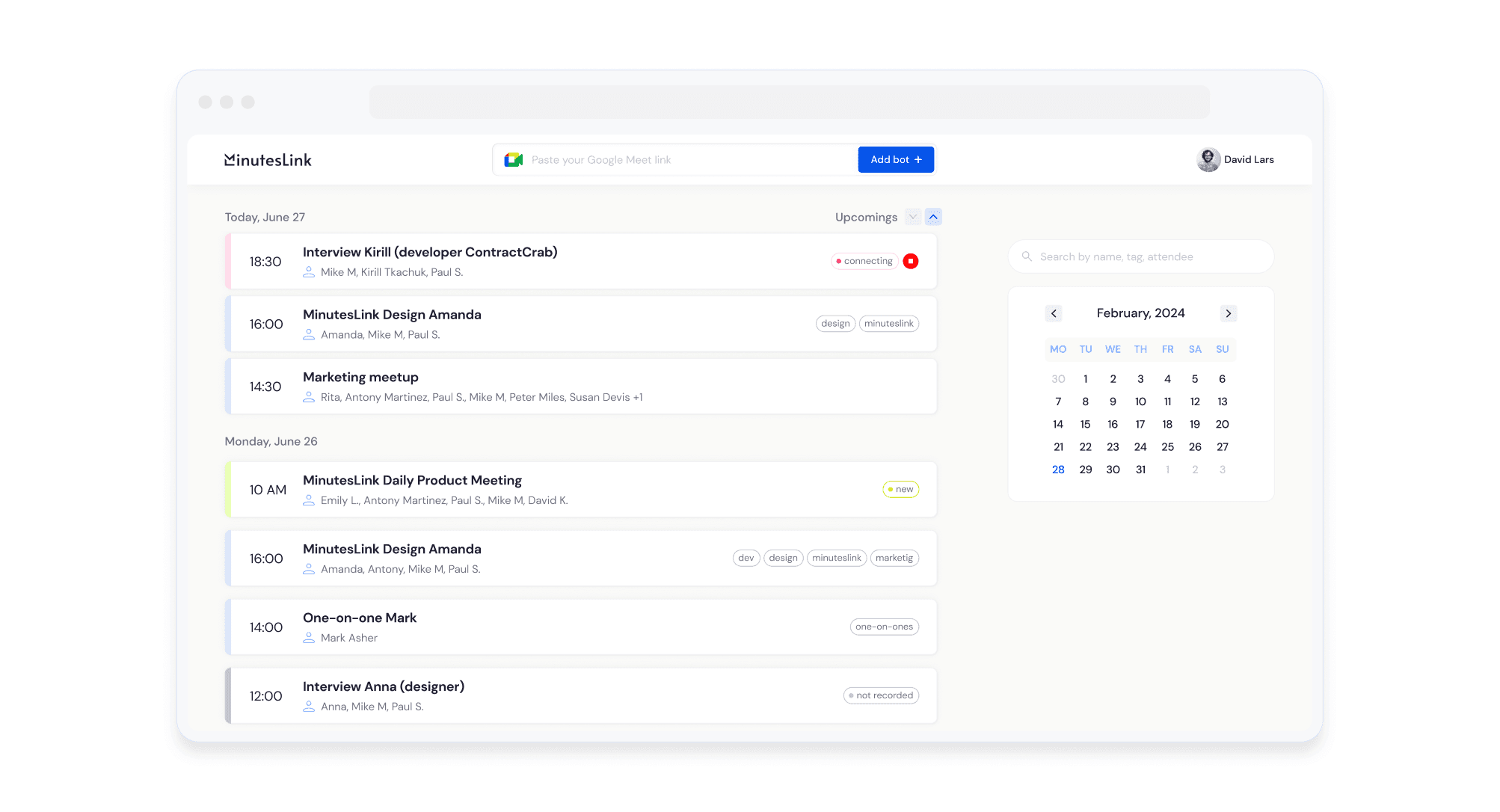
MinutesLink is an AI meeting note taker for Zoom and Google Meet. It records meetings through a Chrome extension or an automatic bot, creates speaker-labeled transcripts and summaries, and stores recordings and notes in one account. Users can search past meetings, edit notes, share them, and ask an AI assistant about prior discussions.
›What are the pros and cons of MinutesLink?
Strengths
Provides speaker-separated transcripts and structured summaries with decisions and action items
Offers unlimited meeting recordings and notes on the listed Basic, Pro, and Business plans
Supports transcription in more than 50 languages
Can capture meetings through either a bot or a Chrome extension
Allows teams to edit, share, search, and discuss stored meeting notes
Trade-offs
Supports Zoom and Google Meet calls, but not Microsoft Teams calls
Some advanced features and integrations available in other meeting assistants are not supported
›What are MinutesLink’s key features?
Records meetings through a Chrome extension without adding a bot to the call
Automatically joins scheduled meetings through a connected calendar
Creates speaker-labeled transcripts and AI summaries with topics, decisions, and action items
Supports transcription in 50+ languages
Stores searchable recordings, transcripts, and meeting notes
Lets users edit and share notes and ask questions about past meetings
Connects notes with HubSpot, Salesforce, and other services
›What are the best use cases for MinutesLink?
Record and summarize candidate interviews for hiring review
Capture client and lead calls for sales follow-up
Share meeting summaries and action items with people who could not attend
Search prior meetings for decisions, discussion points, and next steps
Record concurrent or missed scheduled meetings through calendar-based capture
›What is the pricing for MinutesLink?
| Plan | Price | Details |
|---|---|---|
| Basic | $ 0 | 50+ languages, meeting auto-capturing, unlimited meeting recordings, and unlimited meeting notes |
| Pro | $ 9 | Basic features plus personalized action items, concurrent meeting capture, and advanced sharing and commenting |
| Business | $ 24 | Pro features plus priority support |
Checked 2026-08-18 · source
›Who is MinutesLink best for?
HR professionalsUseful for recording and reviewing interviews with speaker-labeled transcripts, summaries, and action items.
small teamWorks well for teams that need shared, searchable notes from Zoom and Google Meet meetings.
sales teamsClient and lead calls can be recorded automatically and revisited through summaries and stored transcripts.
Google Workspace usersA practical choice when scheduled meetings are managed through Google Calendar.
Not for
- Teams that run meetings primarily in Microsoft Teams, because MinutesLink supports Zoom and Google Meet calls.
- Users who only want simple manual note-taking without recording, transcription, and AI summaries.