Forward Future Tools Library

Noterich
NoteRich keeps notes in the browser, adds AI search across a local knowledge base, and syncs through direct device-to-device connections for privacy-focused individuals and researchers.
Try Noterich →
noterich.com·From $19.90 /year·Checked 2026-10-12

›What is Noterich?
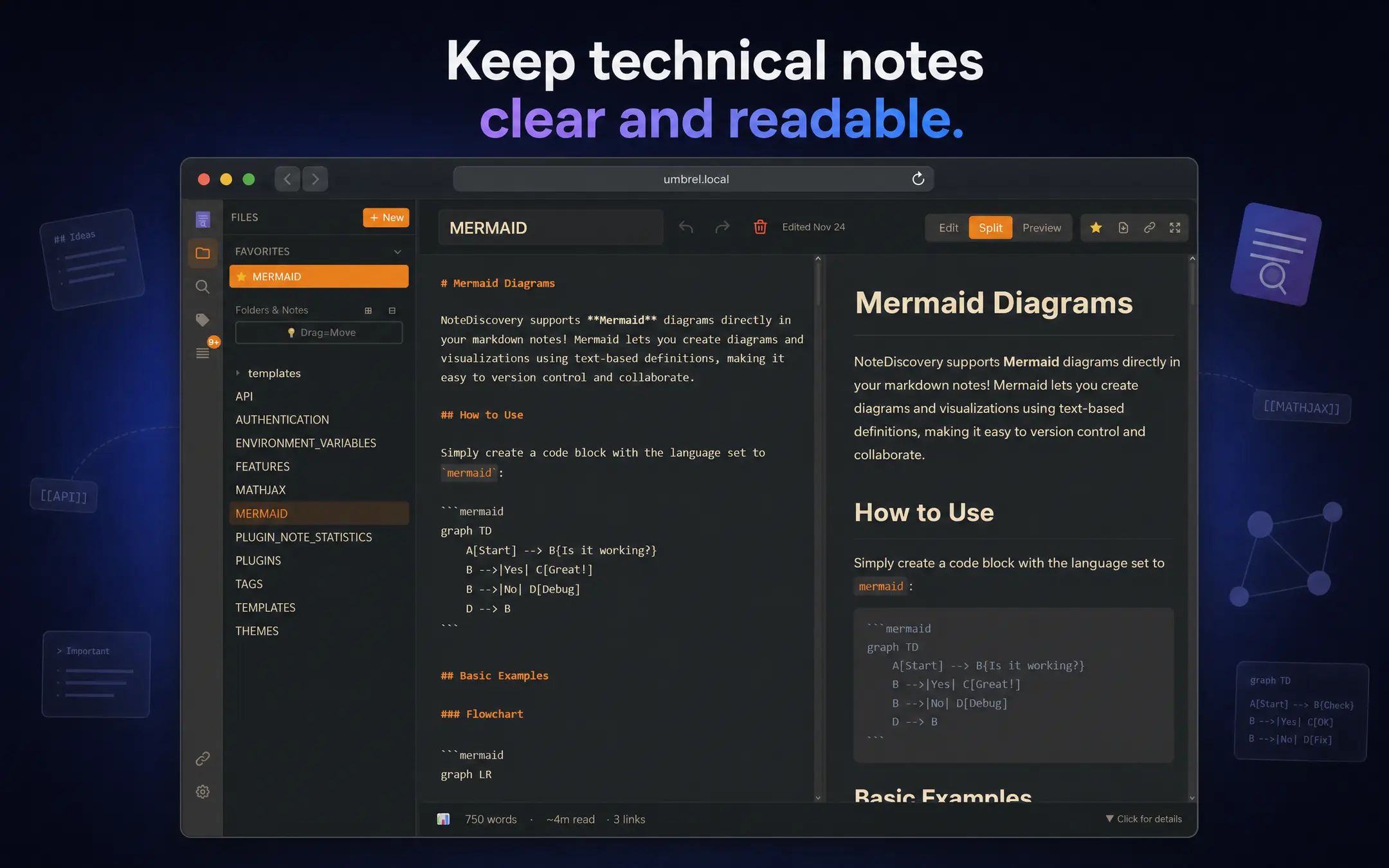
NoteRich is an offline-first browser note-taking app with local encrypted storage, rich-text and Markdown editing, and AI search across personal notes. It supports LaTeX, Mermaid diagrams, code, tables, multimedia attachments, workspaces, and peer-to-peer synchronization without cloud file storage.
›What are the pros and cons of Noterich?
Strengths
Notes are stored locally and can be synchronized directly between devices without cloud intermediaries holding the files
Combines Markdown and visual editing with support for formulas, diagrams, code, tables, and media
AI search and question answering work against the user's note collection
Supports large libraries, with the site listing 20,000+ notes and 7,000,000+ characters per note
Trade-offs
The free tier is limited to five workspaces, basic search, and a small knowledge base RAG
PDF export, password-protected sharing, encrypted exports, and other advanced features require Pro
The paid plan is presented as an annual license rather than a monthly plan
Peer-to-peer synchronization does not provide a centralized cloud workspace for shared team files
›What are Noterich’s key features?
AI knowledge search with memory-driven context and question answering across local notes
WYSIWYG rich-text and Markdown editing with LaTeX, Mermaid diagrams, code blocks, tables, and multimedia
Local AES-GCM encrypted storage and direct peer-to-peer device synchronization
Workspaces for separating personal, enterprise, lifecycle, draft, archive, and trash content
Import from AI tools plus source and visual editing modes
PDF export, encrypted exports, password-protected sharing, and no-watermark HTML export on Pro
›What are the best use cases for Noterich?
Capture research notes and search large personal knowledge bases with AI
Write study material, lecture notes, and revision content in Markdown or rich text
Keep private journal entries and sensitive notes stored locally
Create technical documents with formulas, diagrams, code, and attached media
Organize separate projects or knowledge areas in workspaces and sync notes between devices
›What is the pricing for Noterich?
| Plan | Price | Details |
|---|---|---|
| NoteRich Free | Forever Free | Core note-taking, Markdown and rich-text editing, up to five workspaces, basic search, local storage, community support, and small knowledge base RAG |
| NoteRich Pro | $19.90 /year | Unlimited workspaces, large knowledge base RAG, PDF export and print, password-protected sharing, encrypted exports, formula SVG download, no-watermark HTML export, and priority support |
The pricing page describes Pro as a one-year license and lists selectable multi-year durations.
Checked 2026-10-12 · source
›Who is Noterich best for?
soloA fit for individuals who want browser-based notes stored locally with optional AI search.
researchersUseful for managing large collections of research notes with formulas, diagrams, attachments, and retrieval across the library.
studentsWorks well for keeping coursework and revision notes in one searchable, offline-first workspace.
Not for
- Teams that need centralized cloud collaboration, shared team files, or server-managed access controls.
- Buyers who require a monthly subscription instead of an annual Pro license.