Forward Future Tools Library
ProofFlick
ProofFlick combines selected-text proofreading and shortcut-based dictation for writers and other Windows or Mac users who want to use their own AI provider.
Try ProofFlick →
proofflick.com·From $69.99 once·Checked 2026-11-16

›What is ProofFlick?
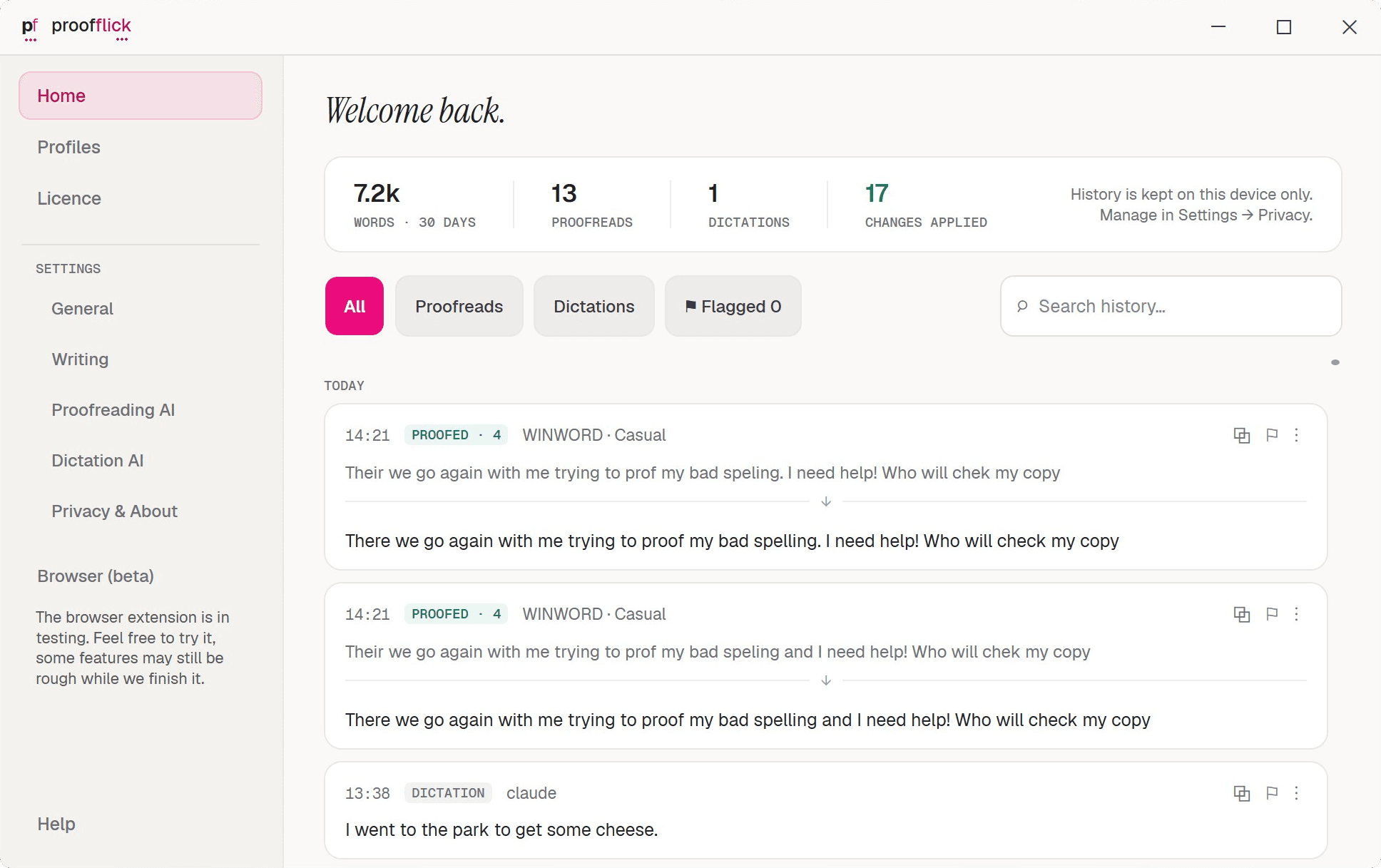
ProofFlick is a desktop app for proofreading selected text and turning speech into typed text in the application you are using. It shows proposed corrections beside the original, marks changes, and lets you review them before replacing or copying text. Dictation and proofreading requests use an AI provider account that you connect.
›What are the pros and cons of ProofFlick?
Strengths
Combines proofreading and dictation in one desktop application.
Lets users review every proposed proofreading change before applying it.
Works with the user's chosen AI provider and keeps content out of ProofFlick's server path.
Uses a one-time licence covering three devices rather than a recurring subscription.
Keeps history on the user's device and stores provider keys locally in encrypted form.
Trade-offs
Requires users to supply their own AI provider account, and provider usage charges are separate.
Requires an internet connection for its processing.
Text capture and replacement support varies by application.
The Mac version is currently an alpha release.
Windows may display a reputation warning because the app is new.
›What are ProofFlick’s key features?
Proofreads selected text and displays the original beside the proposed correction.
Marks each suggested change and explains why it was made.
Dictates clean text directly into emails, chats, documents, IDEs, and other supported applications.
Runs from the system tray with keyboard shortcuts for proofreading and dictation.
Supports writing profiles for different styles, such as professional email and casual chat.
Sends text and audio directly to the AI provider configured by the user, not through ProofFlick servers.
›What are the best use cases for ProofFlick?
Dictate email, Slack messages, documents, commit messages, and other text without opening a separate dictation window.
Proofread a selected passage in an email, document, browser, IDE, or terminal before applying changes.
Use separate professional and casual writing profiles for different kinds of communication.
Review AI-suggested corrections and their explanations before replacing text.
›What is the pricing for ProofFlick?
| Plan | Price | Details |
|---|---|---|
| Early-access licence | $69.99 once | One-time ProofFlick licence for three devices. |
| Standard licence | $99.99 once | One-time ProofFlick licence for three devices. |
The app includes a 14-day trial with no card. An AI provider account is required, and provider usage charges are separate.
Checked 2026-11-16 · source
›Who is ProofFlick best for?
writersA strong fit for writers who want to dictate drafts and review corrections inside the apps where they write.
developersUseful for developers who want dictation and proofreading in commit messages, IDEs, terminals, and documentation.
small teamA practical option when each user can provide an AI account and the three-device licence matches their setup.
content creatorsWorks well for people producing emails, documents, chats, and other written content across multiple desktop applications.
Not for
- People who need offline dictation or proofreading should skip it because processing requires an internet connection.
- Users who want an all-inclusive subscription should look elsewhere because AI provider usage is billed separately.
- People who need dependable Mac production software should wait because the Mac version is still an alpha release.
- Users whose main applications have limited text capture or replacement support may find the workflow inconsistent.