Forward Future Tools Library

SpellType logo

SpellType

SpellType adds private, local inline autocomplete to Mac writing apps, helping people finish emails, chats, documents, notes, and updates without switching to a chatbot.

Try SpellType →

spelltype.app·Free·Checked 2026-09-22
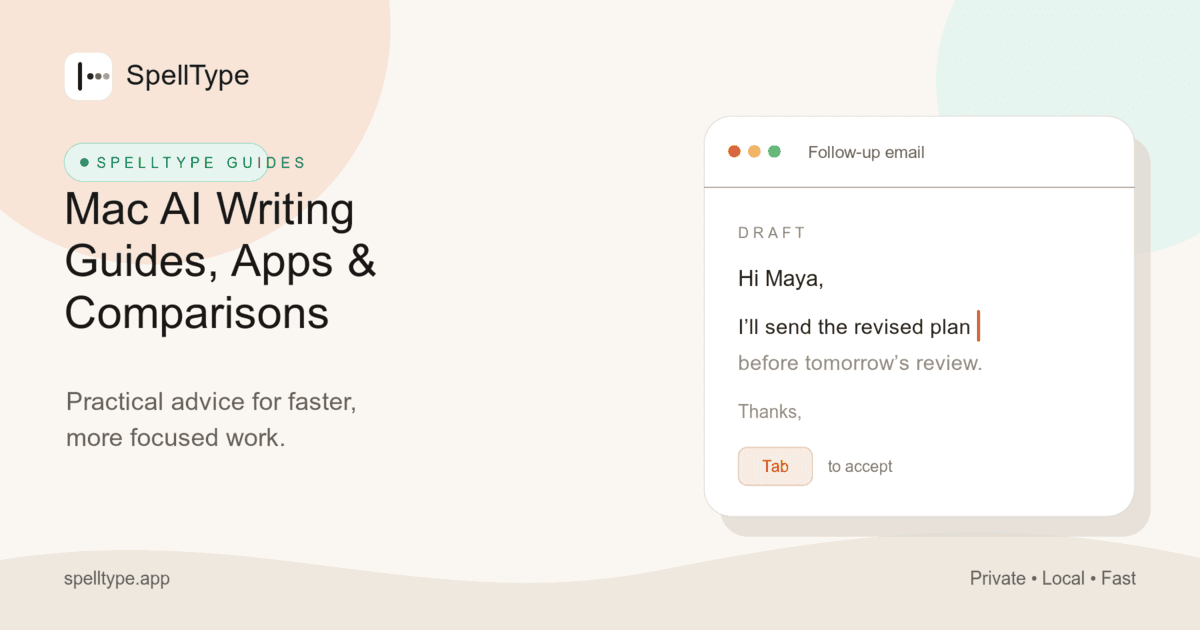
SpellType screenshotMac AI Writing Guides, Apps & ComparisonsSpellType for BusinessBrowse thousands of Spelling App images for design inspirationSpello - A flashcard UX/UI Case Study by Sara Grandieri
SpellTypespelltype.app
SpellType screenshot
SpellTypespelltype.app

›What is SpellType?

SpellType is a macOS app that suggests the next few words while you type in supported email, chat, document, notes, and browser apps. Suggestions run locally and offline, and you can accept them with Tab or keep typing. It requires one Accessibility permission and does not use screen recording or cloud autocomplete.

›What are the pros and cons of SpellType?

Strengths

Runs locally and works offline, keeping typed content on the Mac
Works across common email, chat, document, notes, and browser writing surfaces
Requires no prompts, model selection, or repeated app setup
Accept-or-ignore interaction keeps the writer in control of each suggestion
Designed for low battery and CPU use during normal writing

Trade-offs

Only supports Macs running macOS 14 Sonoma or later on Apple silicon
16 GB of unified memory is recommended
Requires macOS Accessibility permission
Provides inline autocomplete rather than a general-purpose drafting or chat workspace
Suggestions are limited to supported writing surfaces and may not help in every context

›What are SpellType’s key features?

Inline next-word and short-phrase suggestions while typing
Local, offline autocomplete without cloud uploads
Works across Gmail, Slack, Google Docs, Messages, Teams, WhatsApp, Outlook, ChatGPT, Claude, and other supported apps
Accept suggestions with Tab or ignore them by continuing to type
No prompt boxes, model menus, or app-by-app setup
No Screen Recording permission, screenshots, or typed-content analytics

›What are the best use cases for SpellType?

Finish email replies and customer messages
Draft Slack, Teams, and other chat updates
Complete notes, documents, and status updates
Write browser-based messages and LinkedIn outreach
Get writing assistance inside ChatGPT or Claude without copying text between apps

›What is the pricing for SpellType?

PlanPriceDetails
Free$0Unlimited autocomplete in supported apps, with local offline suggestions and no account, subscription, trial, or license key.

The standard app is free for personal and company use. Custom workflows, integrations, deployment, or models are separately scoped through SpellType for Business.

Checked 2026-09-22 · source

›Who is SpellType best for?

soloUseful for Mac users who write frequent replies, notes, messages, and documents and want inline help without opening another AI tool.
small teamThe free standard app can give a small Mac-based team local autocomplete without accounts or per-user subscriptions.
customer support professionalsFrequent customer messages and replies are a natural fit for accepting short completions directly in existing writing apps.
privacy-conscious professionalsLocal, offline suggestions and no Screen Recording permission suit people handling sensitive workplace writing.
Not for
  • Windows, Linux, or Intel Mac users, because the app requires macOS 14 or later on Apple silicon.
  • People who want a full-message generator, prompt-based chat workspace, or selectable cloud models.
  • Teams needing customized integrations, deployment, or models without a separately scoped business engagement.

›What’s new with SpellType?

  • SpellType launched on Product Hunt with a three-month Pro offer for the first 300 people2026-07 · source


›What are the best SpellType alternatives?

›Where can I try SpellType?

Open spelltype.app →