

Forward Future Tools Library

TubePrompter
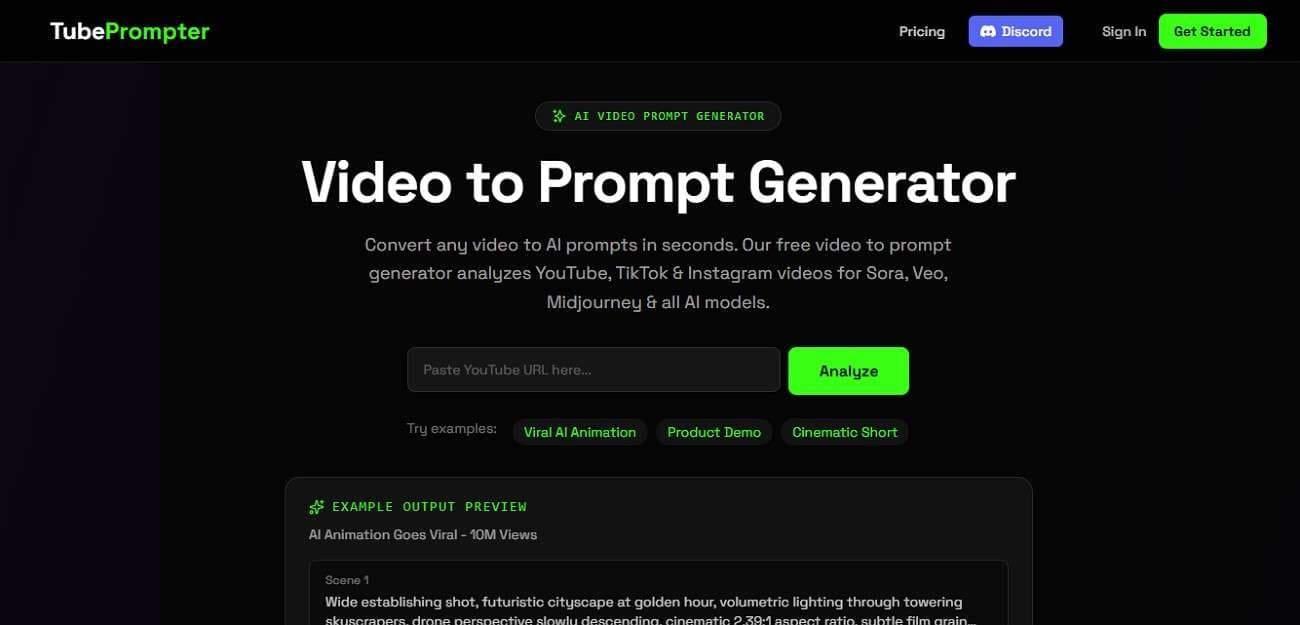
TubePrompter turns YouTube, TikTok, and Instagram videos into scene-by-scene AI prompts for creators and designers using image or video generation models.
Try TubePrompter →
tubeprompter.com·Free + paid plans·Checked 2026-08-14
›What is TubePrompter?
TubePrompter analyzes a video URL and extracts camera angles, lighting, composition, color, movement, and visual style as structured text prompts. It produces 3 to 5 scene prompts with start and end frames, which users can copy into tools such as Sora, Veo, Midjourney, Runway, and Stable Diffusion. Users can change subjects, settings, colors, and style modifiers while preserving selected visual elements.
›What are the pros and cons of TubePrompter?
Strengths
Accepts video links from YouTube, TikTok, and Instagram
Breaks references into scene-level prompts instead of producing only one description
Captures practical visual details including camera movement, lighting, framing, and subject position
Supports prompt formats for multiple image and video generation models
Allows customization without changing selected visual elements from the reference
Trade-offs
The free plan is limited to 5 analyses per month
Paid plans are capped at 100 or 150 analyses per month
The documented workflow analyzes the video thumbnail, which may provide less detail than full-video analysis
It produces text prompts rather than generating the final images or videos
›What are TubePrompter’s key features?
Converts YouTube, TikTok, and Instagram URLs into AI-ready prompts
Extracts camera angles, lighting, composition, framing, movement, and visual style
Generates 3 to 5 scene prompts with start and end frames
Provides prompts optimized for Sora, Veo, Midjourney, Runway, Kling, Pika, and other listed models
Keeps camera movement, lighting, composition, and atmosphere fixed while allowing subject and setting changes
Includes YouTube Shorts extraction, a prompt library, a gallery, and viral prompt templates
›What are the best use cases for TubePrompter?
Turn a reference YouTube Short into scene prompts for an original AI video
Extract the visual structure of a product demo or commercial for image generation
Adapt a reference video's camera, lighting, and composition to a new subject or location
Create prompts for AI-generated social videos in vertical, square, or other platform formats
›What is the pricing for TubePrompter?
| Plan | Price | Details |
|---|---|---|
| Free | Free | Includes 5 video analyses per month. |
| Plus | $19/mo | Includes 100 video analyses per month. |
| Pro | $ 29/mo | Includes 150 video analyses per month. |
Checked 2026-08-14 · source
›Who is TubePrompter best for?
content creatorsA fit for creators who use reference videos to develop prompts for AI-generated Shorts and social content.
designersDesigners can use its scene breakdowns to study and adapt visual direction, composition, and lighting.
soloSolo creators can test the free plan for occasional reference-video analysis.
small teamSmall teams with recurring prompt needs can use the Plus or Pro monthly analysis allowances.
Not for
- Skip it if you need a tool that generates finished videos or images instead of prompts.
- It is a poor fit for workflows requiring more than 150 analyses per month because the listed plans have monthly caps.
›What are the best TubePrompter alternatives?
 Banana PromptsChoose this instead if you want to discover and copy prompts from a community prompt studio and gallery.→
 JXPChoose this instead if you want to generate videos directly through a platform that provides access to multiple AI video models.→
 LensChoose this instead if your main task is editing existing video with prompt-based controls.→
 Pictro.ai→