Forward Future Tools Library

Veo 4 Video Generator logo

Veo 4 Video Generator

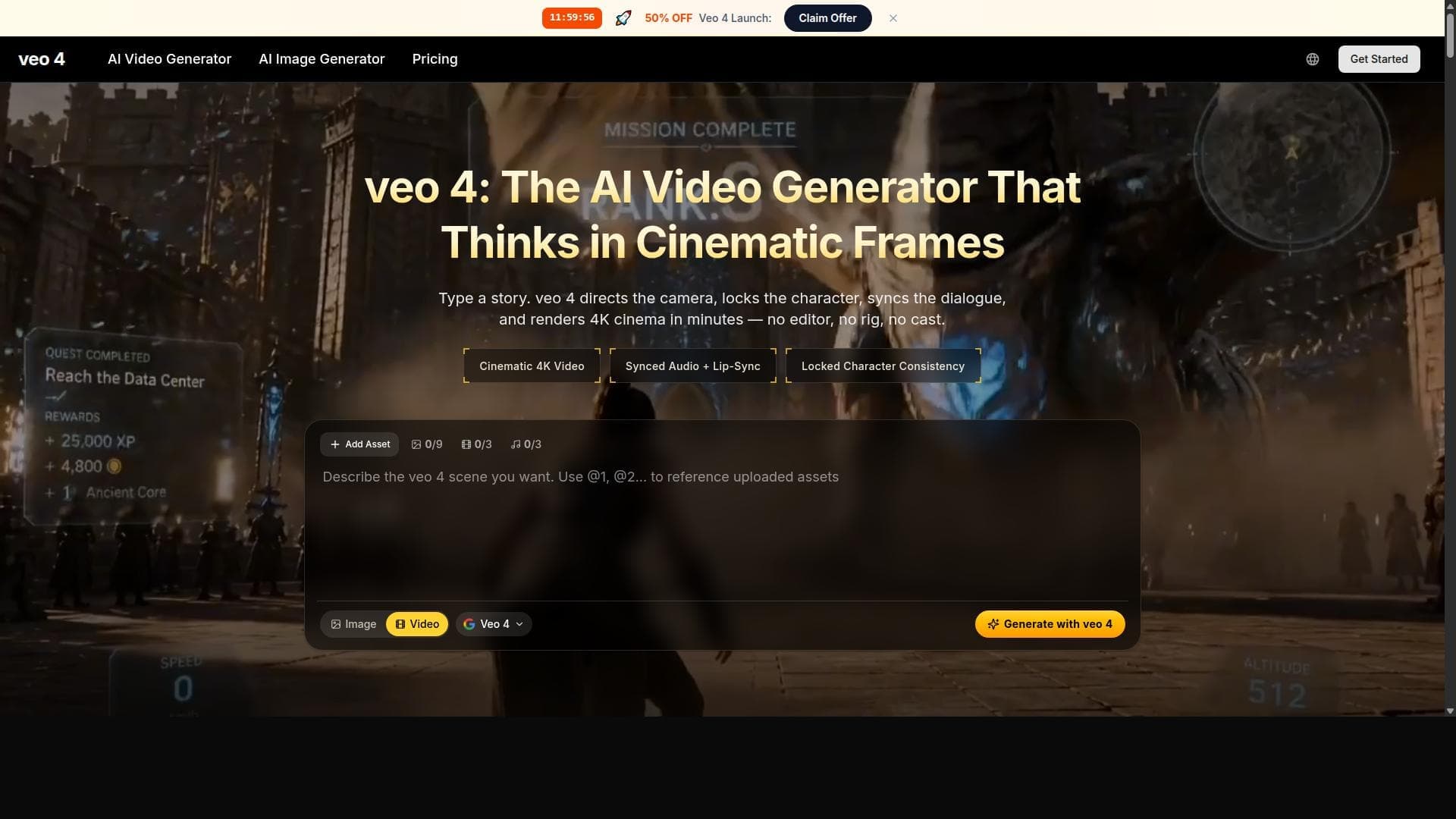
Veo 4 turns text prompts and reference images into short cinematic video drafts for marketers, designers, creators, and agencies.

Try Veo 4 Video Generator

veo4.im·From $9.9 / month·Checked 2026-09-01
Veo 4 Video Generator screenshotVeo 4 AI: Features, Benefits, Pricing and AlternativesVeo 4 AI Video Generator Review 2026VEO 4 AI Video Model in CapCut: Ultra HD Output, Intelligent Prompts &  Integrated AudioVeo 4 Review 2026
Veo 4 Video Generatorveo4.im
Veo 4 Video Generator screenshot
Veo 4 Video Generatorveo4.im

What is Veo 4 Video Generator?

Veo 4 is an online AI video generator for creating clips from text prompts, images, frame guidance, and multiple references. Prompts can specify subjects, motion, camera movement, lighting, pacing, dialogue intent, ambient sound, and music mood. It supports short clips for social content, advertising, ecommerce, product launches, explainers, and storyboards.

What are the pros and cons of Veo 4 Video Generator?

Strengths

Supports text, image, frame, and multi-reference generation modes
Detailed controls cover camera direction, motion, style, pacing, and audio planning
Reference inputs help maintain product, character, color, and background consistency
Commercial usage rights are included across the listed plans

Trade-offs

The listed clip durations are short, at 4, 6, or 8 seconds, so longer stories require chaining generations
Plans use credit allowances with annual limits on video and image generation
The workflow depends on detailed prompts to specify how scenes should move, sound, and feel

What are Veo 4 Video Generator’s key features?

Text-to-video and image-to-video generation
Frame-to-frame control and multi-reference inputs for subject and object consistency
Prompt controls for camera movement, shot size, style, lighting, pacing, dialogue, and audio cues
720p or 1080p clips at 24fps in 4, 6, or 8 seconds
Reference-guided control of products, characters, colors, backgrounds, and brand cues
Clip chaining for extending scenes into longer stories
Commercial usage rights on all listed plans

What are the best use cases for Veo 4 Video Generator?

Create social video drafts for Reels, Shorts, and TikTok
Turn product shots and reference images into ecommerce demos
Test advertising hooks and campaign concepts before full production
Develop launch teasers, explainers, and pitch visuals
Create storyboard scenes with consistent characters, products, and visual direction

What is the pricing for Veo 4 Video Generator?

PlanPriceDetails
Starter$9.9 / monthBilled yearly at $119, with 15000 credits per year, up to 600 videos, up to 7500 images, up to 4K video generation, priority processing, and commercial usage rights.
Standard$39.9 / monthBilled yearly at $479, with 60000 credits per year, up to 2400 videos, up to 30000 images, up to 4K video generation, fast processing, and commercial usage rights.
Premium$59.9 / monthBilled yearly at $719, with 100000 credits per year, up to 4000 videos, up to 50000 images, up to 4K video generation, fast processing, and commercial usage rights.

The pricing page also shows pay-as-you-go prices of $29.9, $59.9, and $89.9 for the three plans. Annual billing is required for the listed monthly rates.

Checked 2026-09-01 · source

Who is Veo 4 Video Generator best for?

marketersUseful for testing ad concepts, social hooks, product stories, and launch visuals before committing to full production.
designersReference images and controls for composition, camera movement, style, and brand cues support visual concept development.
small teamA practical option for producing short campaign, ecommerce, and pitch-video drafts without desktop editing software.
agenciesThe Premium plan and commercial usage rights support repeated client-facing video and image generation.
Not for
  • Teams that need long continuous takes instead of short clips connected through chaining
  • Buyers who need unmetered generation rather than annual credit and video limits
  • Users who want to create results from minimal prompts without specifying motion, camera, lighting, and audio direction


What are the best Veo 4 Video Generator alternatives?

Where can I try Veo 4 Video Generator?

Open veo4.im