

Forward Future Tools Library

WebFill
WebFill is a browser extension for automating forms, surveys, data entry, and email replies, with screen capture answers and chatbot help for students, professionals, and businesses.
Try WebFill →
webfill.co·Free + paid plans·Checked 2026-08-25

›What is WebFill?
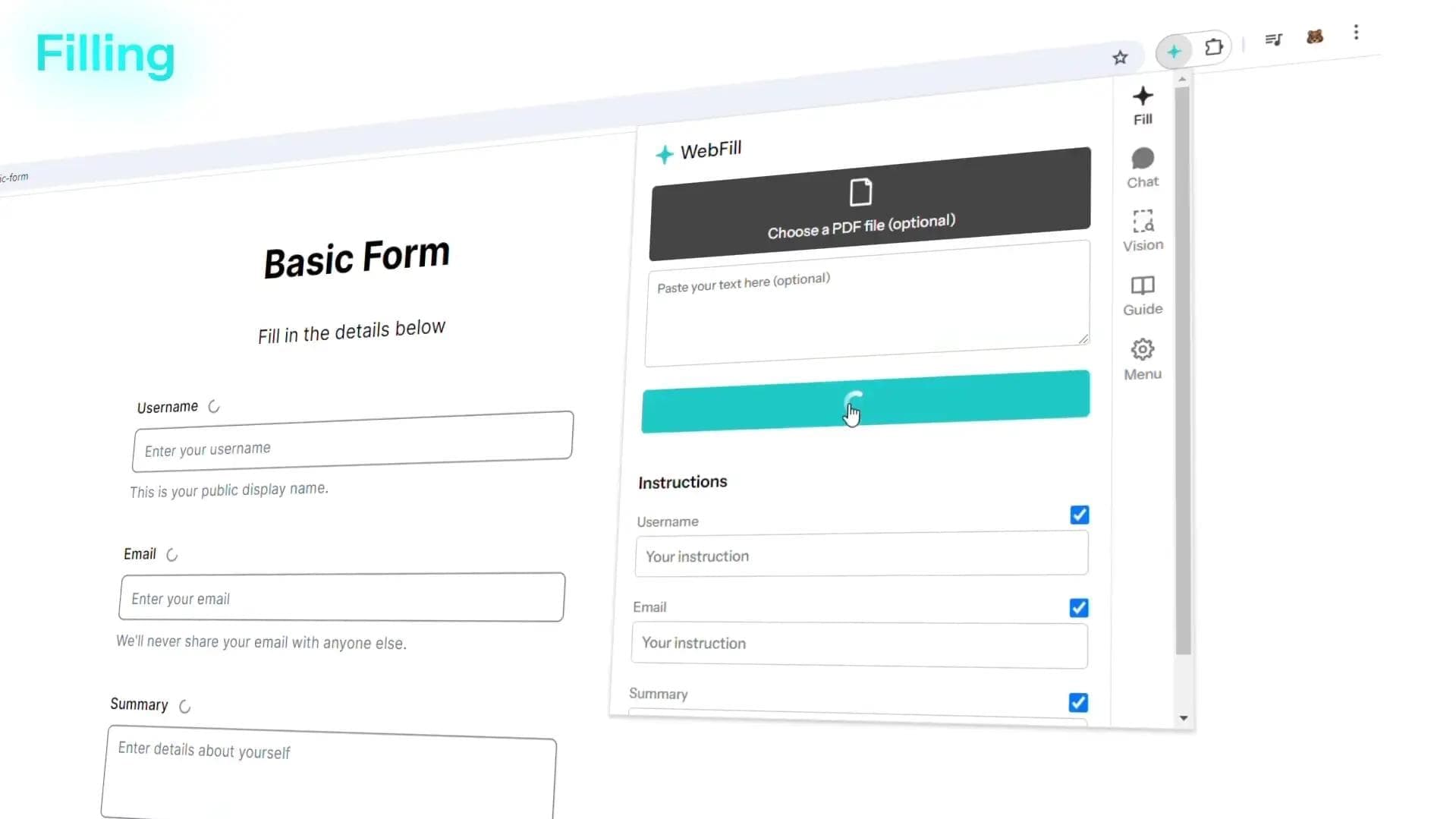
WebFill uses AI to fill web forms from PDFs, text documents, or detected page content, and to complete surveys and multiple-choice questions. Its browser extension also generates or responds to emails, saves instructions and website data, and provides chatbot assistance. WebFill Vision captures part of the screen and returns answers inside the browser.
›What are the pros and cons of WebFill?
Strengths
Combines form filling, data entry, email assistance, screen capture answers, and chatbot help in one browser extension
Accepts PDFs and text documents as inputs for form completion
Saves instructions and data for repeated tasks on each website
Offers a free plan with access to automated form filling and WebFill Vision
Paid plans increase word and Vision usage limits and add priority support
Trade-offs
The Free plan is limited to 1K words and 20 Vision uses per month
The Free plan provides only basic AI models and basic support
Higher usage limits and the most capable AI models require a paid plan
›What are WebFill’s key features?
Automatic form filling from PDFs, text documents, or detected webpage content
Survey completion and multiple-choice question assistance
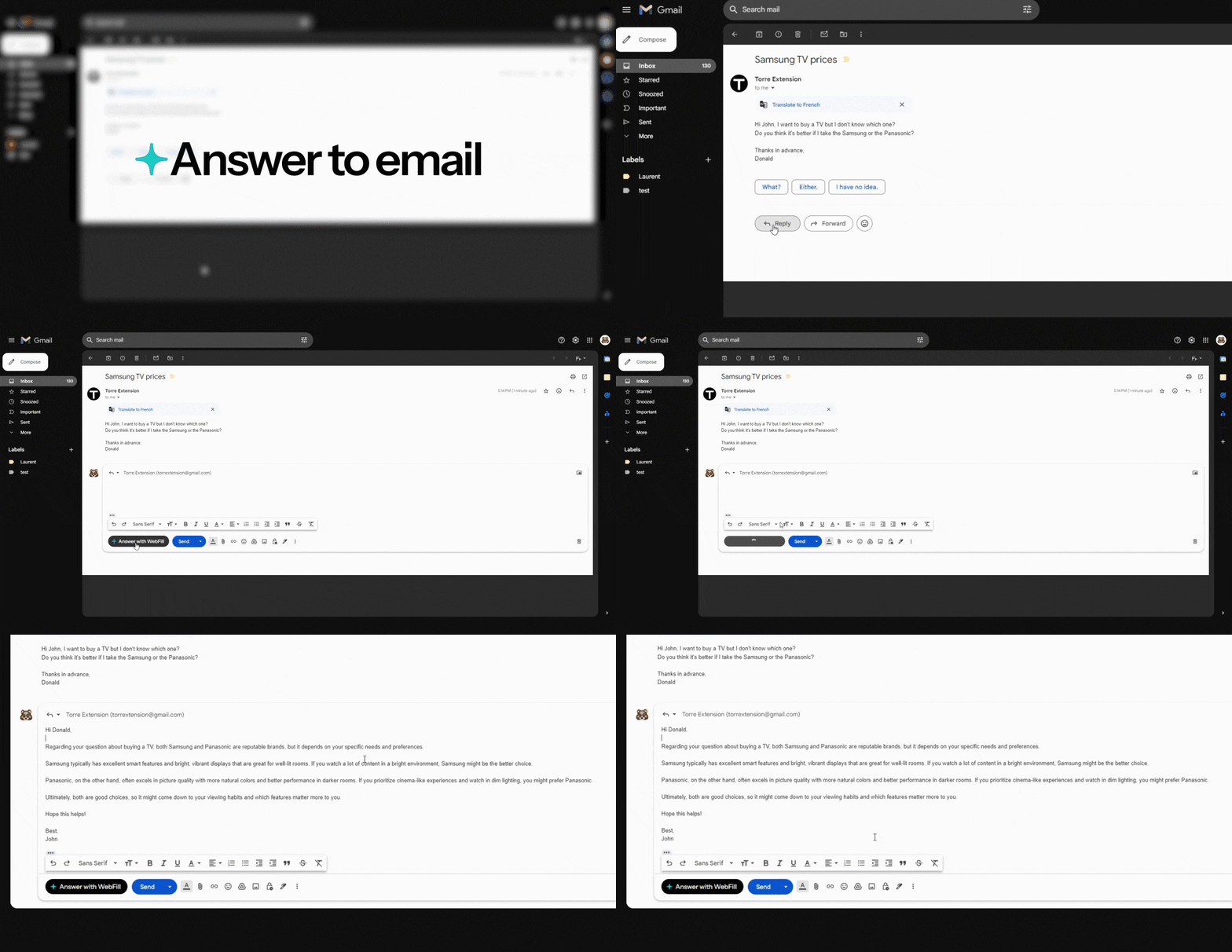
AI-generated and automated email responses from an inbox
WebFill Vision screen capture with instant answers
Chatbot assistance inside the browser
Intelligent instructions and saved data for repeated website tasks
Manual instructions and customizable WebFill icons on paid plans
›What are the best use cases for WebFill?
Completing repetitive online forms and surveys
Entering information from PDF documents into web forms
Drafting and responding to emails in Gmail or Outlook
Answering multiple-choice questions and online assessments
Processing employee payslips and other PDF documents
Handling recurring data-entry tasks for business operations
›What is the pricing for WebFill?
| Plan | Price | Details |
|---|---|---|
| Free | Free | Includes 1K words per month, 20 Vision uses per month, basic AI models, basic support, form filling, Vision, instructions, and saved website data. |
| Standard | $7.99 per month | Includes 100K words per month, 400 Vision uses per month, priority support, most capable AI models, form filling, Vision, saved website data, and customizable icons. |
| Premium | $19.99 per month | Includes 250K words per month and 1,000 Vision uses per month. |
Standard annual billing saves 20%.
Checked 2026-08-25 · source
›Who is WebFill best for?
studentsUseful for completing surveys, multiple-choice questions, and online assessments with browser-based assistance.
HR managersPDF-to-form workflows can reduce manual entry for payslips and other employee documents.
freelancersEmail generation, saved instructions, and recurring form automation can support client-heavy workflows.
small teamTeams handling repetitive forms, surveys, and data entry can use shared business workflows with higher paid-plan limits.
Not for
- Users who need more than 1K words or 20 Vision uses per month without paying for a higher plan
- Users seeking advanced AI models or priority support on a free plan
- Teams looking for a standalone project-management or collaboration system rather than browser task automation
›What are the best WebFill alternatives?
 Deep WorkChoose this instead if your main need is broader automation of daily web tasks rather than form and email assistance.→
 AntispaceChoose this instead if your workflow centers on coordinating email, calendars, notes, and other work information.→
 CoursableChoose this instead if your primary goal is preparing and working with study materials.→
 GitHub Copilot→