

Forward Future Tools Library

Webflow's AI Site Builder
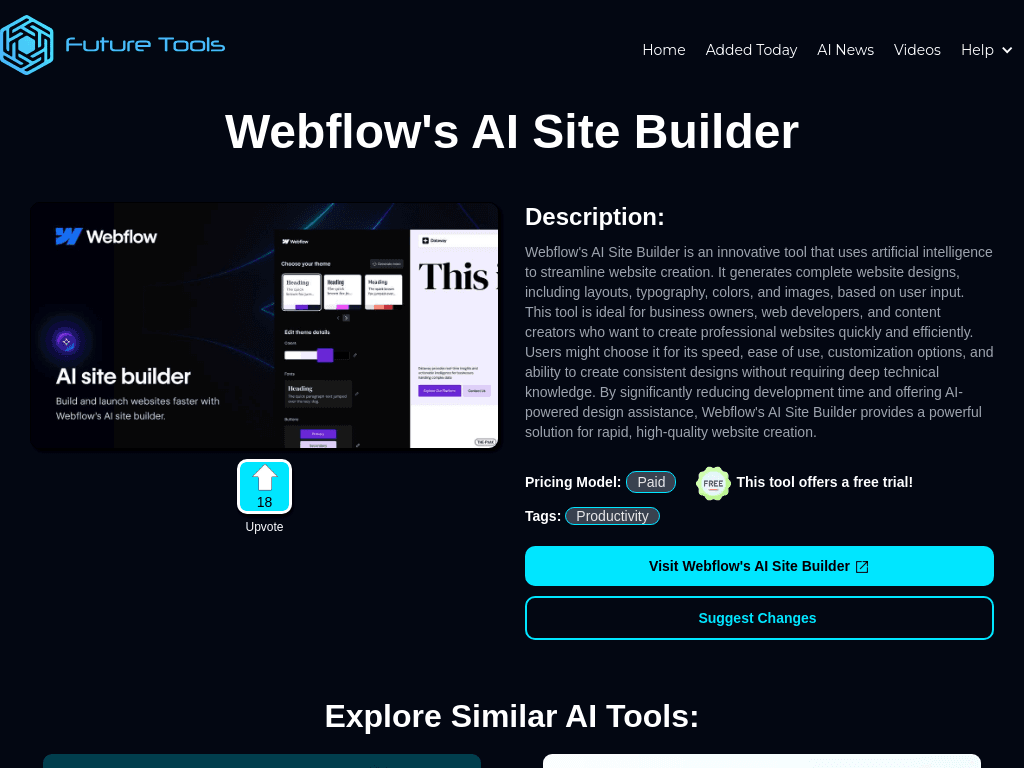
Webflow's AI Site Builder turns a text prompt into editable Webflow pages, sections, copy, styling, and design systems for teams prototyping or launching sites inside Webflow.
Try Webflow's AI Site Builder →
futuretools.io·Contact Sales

›What is Webflow's AI Site Builder?
The tool generates website structures from a prompt, including pages, sections, placeholder copy, layouts, typography, colors, images, and basic styling. Its output uses native Webflow elements that can be edited in the Designer. Recent capabilities include generating up to five pages with content, design systems, and GSAP-powered animations.
›What are the pros and cons of Webflow's AI Site Builder?
Strengths
Produces editable Webflow elements rather than a static mockup
Can generate multiple pages, sections, content, and design systems from one prompt
Speeds up project scaffolding and rapid prototyping
Includes AI features for copy variants and SEO/AEO audits
Supports GSAP-powered animations in generated sites
Trade-offs
The generated site is a starting point and requires manual refinement before launch or client delivery
It is available on paid Workspace plans
It is not a standalone site builder and keeps users within the Webflow platform
Generated output is not a replacement for detailed design work on complex or brand-critical projects
The February 2026 update generates up to five pages per prompt
›What are Webflow's AI Site Builder’s key features?
Generates website layouts, typography, colors, images, and basic styling from a text prompt
Creates multi-page site structures with sections and placeholder content
Builds editable native Webflow elements inside the Designer
Generates design systems for a site
Creates GSAP-powered animations
Supports AI-generated copy variants and SEO/AEO audits
›What are the best use cases for Webflow's AI Site Builder?
Create an initial business website structure from a description of the company and its goals
Prototype Home, About, Services, Contact, and Blog pages before detailed design work
Give client projects a starting structure inside Webflow
Generate initial copy, styling, and design systems for a new site
Test site concepts quickly before investing in full custom design
›What is the pricing for Webflow's AI Site Builder?
Contact Sales
›Who is Webflow's AI Site Builder best for?
designersUseful for creating an editable first draft and refining it in Webflow's Designer.
developersHelps developers scaffold Webflow projects and generate structures, content, and animations before custom implementation.
marketersA practical option for producing initial site copy, page structures, and SEO/AEO audits within Webflow.
agenciesWorks well for quickly preparing client project foundations, but final delivery still requires hands-on review and design work.
Not for
- Complete beginners who want a drag-and-drop site in minutes without learning Webflow
- Users who need a free AI website builder without platform lock-in
- Teams looking for a finished website that needs little manual refinement
- Buyers building complex, brand-critical sites that require full custom design from the outset
›What’s new with Webflow's AI Site Builder?
- AI Site Builder update added multi-page generation, design systems, placeholder content, and GSAP-powered animations2026-02 · source
›What are the best Webflow's AI Site Builder alternatives?
 DurableChoose this instead if you want an AI website builder focused on producing a professional site in about 30 seconds.→
 SitesGPTChoose this instead if you want a dedicated tool for creating AI-powered websites quickly without starting inside Webflow.→
 Elementor AI Website BuilderChoose this instead if you want AI website-building tools within the Elementor ecosystem.→
 Playcode→