Forward Future Tools Library

Captions Mirage logo

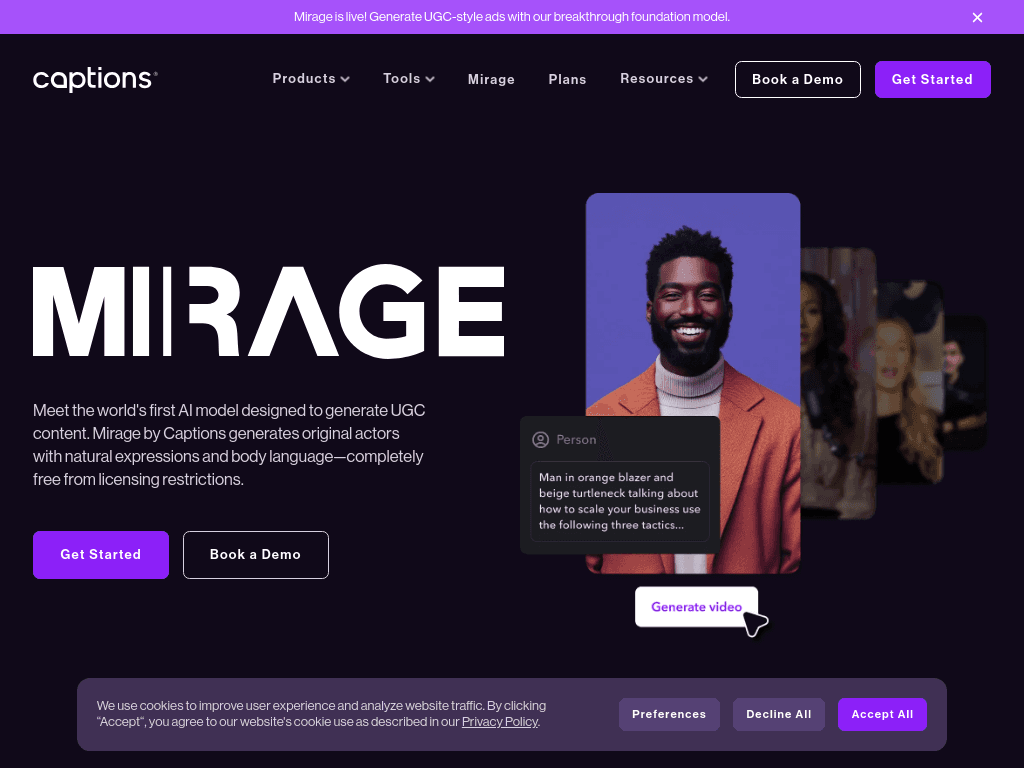
Captions Mirage

Captions combines automatic editing, captions, translation, and generative AI actors for creators who record and publish short-form video, especially on iPhone.

Try Captions Mirage →

mirage.app·Free + paid plans·Checked 2026-08-21
Captions Mirage screenshotMIRAGE App :: BehanceMirage appAssassins-Creed Mirage Mobile App by Zeno Zhang on DribbbleMirage AI: Photo Editor
Captions Miragecaptions.ai
Captions Mirage screenshot
Captions Miragecaptions.ai

›What is Captions Mirage?

Captions is an AI video editor that turns recorded footage into edited videos with captions, zooms, B-roll, music, transitions, and other styling. Its generative tools can create AI actors, digital twins, scripts, images, video, music, and voiceovers. A chat-based editor lets users request changes without manually scrubbing a timeline.

›What are the pros and cons of Captions Mirage?

Strengths

Automates several editing steps for talking-head footage, including cuts, zooms, B-roll, music, and captions.
Supports captions in more than 100 languages and includes translation and dubbing tools.
Includes generative video features such as AI actors, digital twins, scripts, images, and voiceovers.
The chat-based editor allows text-based revisions instead of timeline scrubbing.
Offers enterprise packages with custom seats, dedicated account management, and training-data exclusion.

Trade-offs

The editing toolset is relatively limited, including one video track and fewer conventional editing controls.
Many features require server uploads and processing, which reviews describe as slow and unreliable.
The most compelling generative features require higher-priced plans and consume usage credits.
The Android version is reported to be a noticeably degraded experience compared with iPhone.
It is an editing and generation tool rather than a system that researches a product or builds a complete performance ad from a link.

›What are Captions Mirage’s key features?

AI Edit turns raw footage into a cut with zooms, B-roll, music, transitions, and styled captions.
Automatic captions in 100+ languages, with editable text overlays and transcript downloads.
AI actors, digital twins, custom AI actors, and AI-generated scripts.
Chat-based editing for making changes with written instructions.
AI tools for generating video, images, music, sounds, voiceovers, and B-roll.
AI translation, lip dubbing, voice cloning, and audio enhancement.

›What are the best use cases for Captions Mirage?

Turn talking-head recordings into short-form videos with automatic cuts, captions, B-roll, and music.
Create multilingual versions of videos with translated captions, dubbing, or lip syncing.
Produce social media clips from longer videos using AI Shorts.
Make marketing or promotional videos with AI actors, digital twins, and generated scripts.
Refine an edited video by describing changes in the chat-based editor.

›What is the pricing for Captions Mirage?

PlanPriceDetails
FreeFreeIncludes traditional editing, captions, transcript downloads, AI editing, generative tools, translation, and audio features with free access levels.
Max$24.99/moIncludes curated AI Edit styles, fully produced videos, digital twins or custom AI actors, chat-based editing, 500 credits per month, and generative media tools.
Scale$69.99/moIncludes everything in Max, 1,400 credits per month, customized usage tiers, and access to the most sophisticated generative AI models.
Scale 2x$139.99/moIncludes everything in Max, 2,800 credits per month, 2x usage, customized usage tiers, and access to the most sophisticated generative AI models.
Scale 4x$279.99/moIncludes everything in Max, 5,600 credits per month, 4x usage, customized usage tiers, and access to the most sophisticated generative AI models.
EnterpriseCustom pricingCustom packages with bulk credit discounts, custom seats, dedicated account management, training-data exclusion, onboarding, and priority support.

Prices are displayed in USD and reflect iOS plans. Yearly plans bill 12 months upfront at a discounted rate. Credits and feature limits vary by plan.

Checked 2026-08-21 · source

›Who is Captions Mirage best for?

soloA strong fit for solo creators who film themselves and want automatic editing, captions, and AI avatar tools in one app.
content creatorsContent creators can use AI Edit, Shorts, translation, and chat-based revisions to produce frequent social videos.
marketersUseful as a video editing and generation layer for marketers, but not as a complete ad-production system.
enterpriseEnterprise teams get custom seats, account management, onboarding, and training-data exclusion through tailored plans.
Not for
  • Android-first creators should skip it if they need parity with the iPhone experience.
  • Editors who need extensive timeline tools, multiple video tracks, or advanced conventional editing controls should look elsewhere.
  • Ad teams seeking a tool that researches a product and assembles a complete performance ad from a link should not use Captions as their main platform.


›What are the best Captions Mirage alternatives?

›Where can I try Captions Mirage?

Open mirage.app →