Forward Future Tools Library

Cursor logo

Cursor

Cursor combines an AI code editor with agents for code generation, multi-file changes, testing, and pull requests, aimed at professional developers and engineering teams.

Try Cursor

cursor.com·Free + paid plans·Checked 2026-08-10

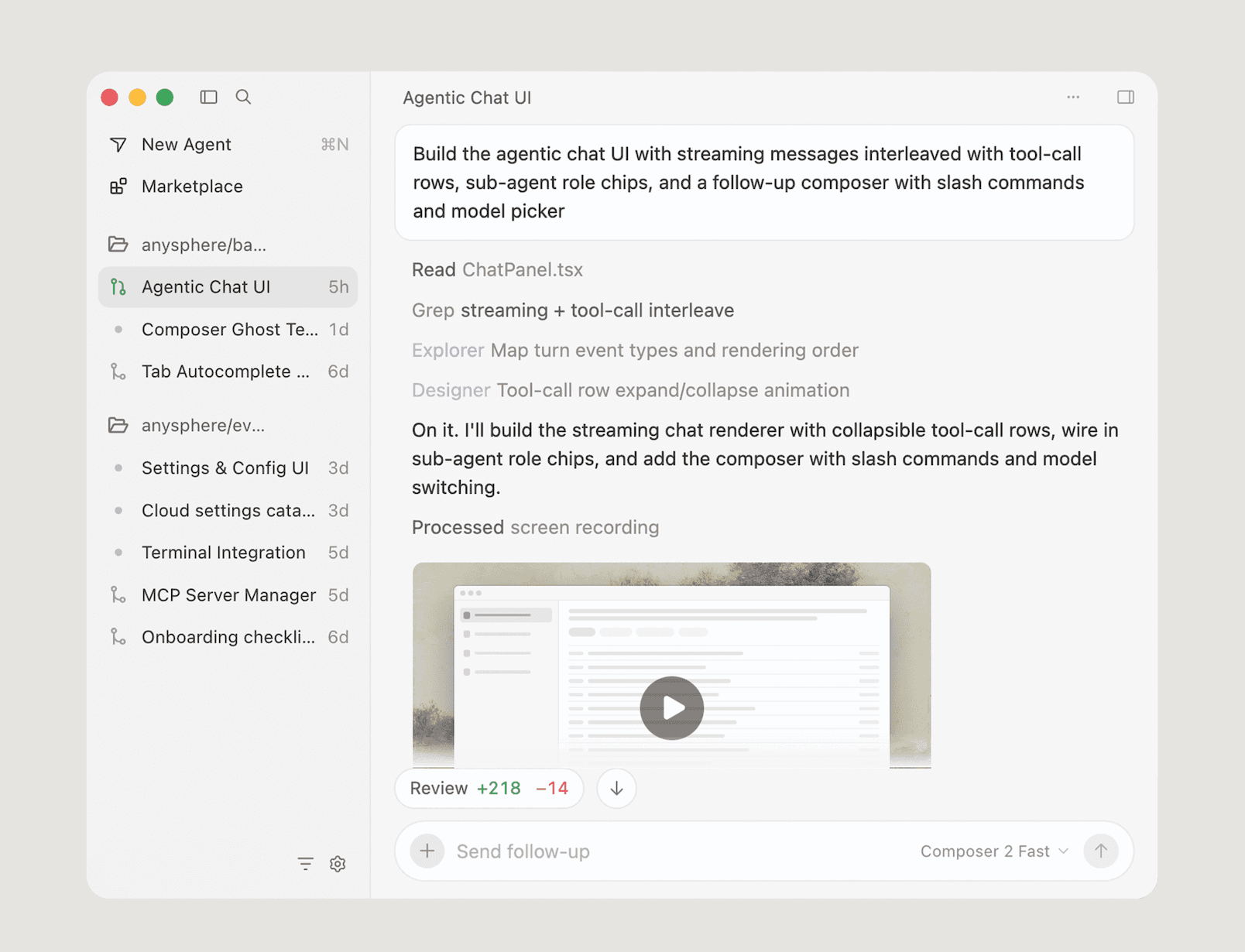
Cursor screenshotCursor: AI coding agentCursor on web and mobile · CursorChangelog · CursorCursor · Cloud Agents
Cursorcursor.sh
Cursor screenshot
Cursorcursor.sh

What is Cursor?

Cursor is an AI coding agent available as a desktop editor and CLI. It provides autocomplete, natural-language editing, codebase search, multi-file changes, autonomous agents, cloud agents, and agentic code reviews. Agents can work in parallel, test changes, and create draft pull requests for review.

What are the pros and cons of Cursor?

Strengths

Tab autocomplete and inline editing are effective for frequent local code changes
Composer supports multi-file edits with per-file accept or reject controls
Cloud and background agents can work off the developer's machine and produce draft pull requests
Supports models from Claude, GPT, Gemini, Grok, and Cursor's own models
Team plans include shared context for cloud agents and automations

Trade-offs

Usage-based model and agent charges can increase costs for heavy users
Agent output still requires review and can over-edit or churn on difficult tasks
Code context is sent to Cursor's servers, according to an independent review
As a VS Code fork, it can lag behind upstream VS Code
The free Hobby plan has limited agent requests

What are Cursor’s key features?

Tab autocomplete and natural-language inline editing
Composer for multi-file code changes with per-file review
Codebase indexing and semantic search
Agents that plan, implement, test, and demonstrate software changes
Cloud agents that work off your machine and create draft pull requests
CLI access, terminal workflows, Slack collaboration, and GitHub pull-request reviews
Bugbot for agentic code reviews and tested fix proposals

What are the best use cases for Cursor?

Make small code edits and generate functions with autocomplete and inline instructions
Refactor multiple files while reviewing each proposed file change
Assign a ticket to a background agent that builds and tests a draft pull request
Explore a repository and its documentation using indexed codebase search
Build and test a feature from the terminal or through a cloud agent
Review pull requests and propose fixes with Bugbot

What is the pricing for Cursor?

PlanPriceDetails
HobbyFreeNo credit card required, with limited Agent requests and access to Composer.
Individual$20 / mo.Paid individual plan with extended Agent limits, model access, MCPs, skills, hooks, cloud agents, and Bugbot on usage-based billing.
Teams$40 / user / mo.Adds centralized billing and administration, shared team context for cloud agents and automations, usage analytics, privacy mode, SAML/OIDC SSO, and agentic code reviews.
EnterpriseCustomAdds pooled usage, invoice and purchase-order billing, SCIM, access controls, audit logs, service accounts, and priority support.

Pro+ and Ultra plans are also available. Self-serve plans include model usage, while on-demand usage after the included amount is billed in arrears. Prices exclude applicable taxes.

Checked 2026-08-10 · source

Who is Cursor best for?

developersA strong fit for professional developers who want in-editor autocomplete, natural-language edits, and repo-wide coding agents.
small teamSmall engineering teams can use shared agent context, cloud agents, usage analytics, and team privacy controls.
enterpriseEnterprise teams get pooled usage, invoice billing, identity and access controls, audit logs, and account support.
Not for
  • Teams that need predictable costs for heavy premium-model or agent use should account for usage-based charges.
  • Teams looking for unsupervised code delivery should skip it unless they have a review process, because agents can over-edit or produce changes that still need review.
  • Users who require code context to remain off vendor servers should avoid it unless the available privacy settings meet their requirements.

What are the best Cursor alternatives?

Where can I try Cursor?

Open cursor.com