Forward Future Tools Library

Gen3D
Gen3D turns images and short text prompts into browser-based 3D models and editable CAD geometry for designers, engineers, and 3D creators.
Try Gen3D →
gen3d.pro

›What is Gen3D?
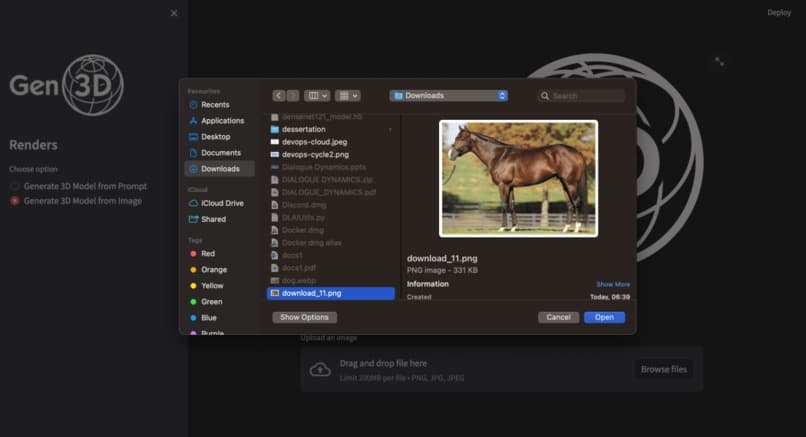
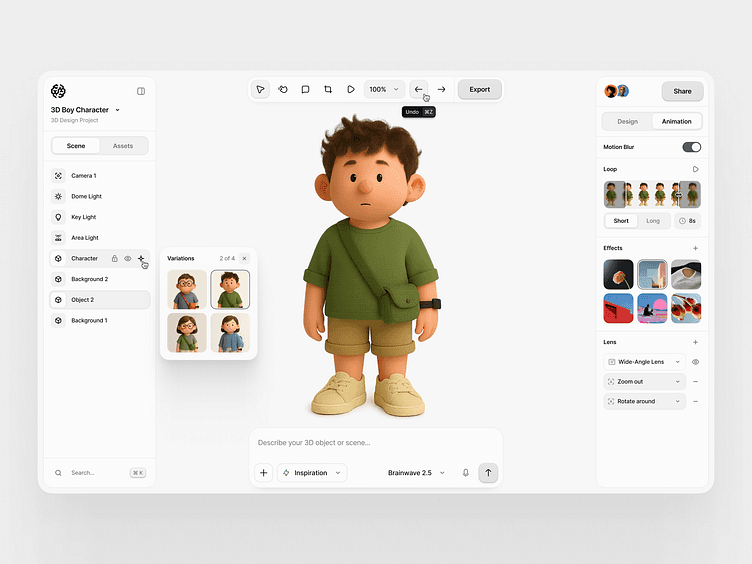
Gen3D is an online AI tool for generating 3D models from images or text prompts, plus CAD geometry from images. Users can choose mesh type, polygon count, and output style, then preview, refine, and export the result in standard 3D formats. A standard model takes about 1 to 2 minutes to generate, with no software installation required.
›What are the pros and cons of Gen3D?
Strengths
Supports both image-to-3D and text-to-3D workflows
Produces editable CAD geometry from images
Automates mesh repair, UV packing, and texture baking
Runs in a browser without requiring high-end hardware or software installation
Trade-offs
Generation is not immediate, with a standard model taking about 1 to 2 minutes
Inputs are limited to common image formats and short descriptive prompts
Generated results may require previewing, refinement, and configuration before export
›What are Gen3D’s key features?
Image-to-3D generation from common image formats
Text-to-3D generation from short descriptive prompts
Image-to-CAD conversion for editable geometry
Mesh repair, UV packing, and texture baking
Settings for mesh type, polygon count, and output style
Browser-based preview, refinement, and export
›What are the best use cases for Gen3D?
Turn product photos or concept images into 3D assets
Create 3D objects from short text descriptions
Convert visual product concepts into CAD geometry for engineering or prototyping
Prepare generated models for 3D printing or manufacturing
Generate assets from sketches without installing desktop modeling software
›Who is Gen3D best for?
designersUseful for turning sketches, reference images, and visual concepts into editable 3D assets.
engineersImage-to-CAD output supports early product design, manufacturing, and prototyping workflows.
3D artistsA practical browser-based starting point for generating models from text or images.
Not for
- Users who need an offline or locally installed workflow should skip it because the tool runs online in a browser.