Forward Future Tools Library

RemoveBGVideo
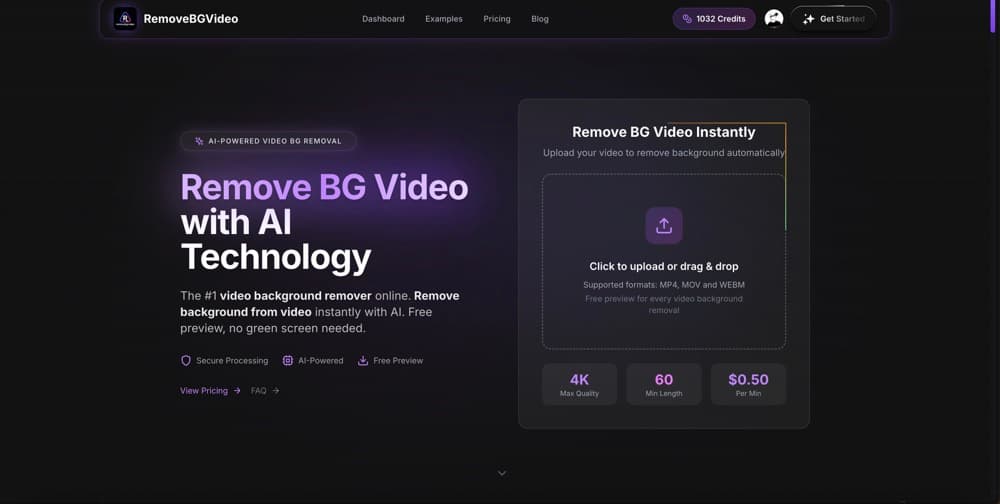
RemoveBGVideo automatically isolates people, pets, and products in uploaded videos, giving creators, marketers, and sellers transparent or custom-background exports without a green screen.
removebgvideo.com·From $12·Checked 2026-09-08

›What is RemoveBGVideo?
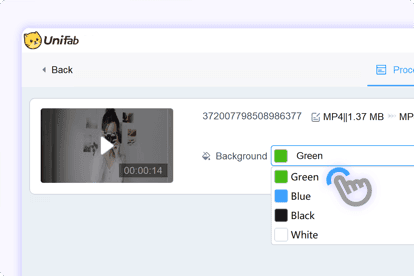
RemoveBGVideo is an online AI tool for removing video backgrounds from uploaded MP4, MOV, WebM, and other common formats. It previews the result before export and supports transparent backgrounds, solid colors, and uploaded background images. Videos can be processed at up to 4K resolution and 60 minutes in length.
›What are the pros and cons of RemoveBGVideo?
Strengths
Trade-offs
›What are RemoveBGVideo’s key features?
›What are the best use cases for RemoveBGVideo?
›What is the pricing for RemoveBGVideo?
| Plan | Price | Details |
|---|---|---|
| Basic | $12 | 180 credits, or 3 minutes of processing, with 4K output, previews, batch processing, and API access. |
| Standard | $35 | 600 credits, or 10 minutes of processing, with batch processing for up to 2 videos. |
| Pro | $89 | 1800 credits, or 30 minutes of processing, with batch processing for up to 3 videos. |
| Business | $299 | 7200 credits, or 120 minutes of processing, with batch processing for up to 5 videos and priority support. |
| Enterprise | $799 | 21600 credits, or 360 minutes of processing, with batch processing for up to 10 videos and priority support. |
| Premium | $1499 | 60000 credits, or 1000 minutes of processing, with batch processing for up to 20 videos and priority support. |
Pay-as-you-go credits cost 1 credit per second of processed video and do not expire. The pricing page also shows comparison prices of $40, $120, $480, $1440, and $4000 for the Standard, Pro, Business, Enterprise, and Premium plans.
Checked 2026-09-08 · source
›Who is RemoveBGVideo best for?
- People looking for a complete video editor should choose a broader editing suite, since this tool focuses on background removal.
- Users working with files above 500MB or videos longer than 60 minutes will need another workflow.