

Forward Future Tools Library

Vidnoz Video Translate
Vidnoz Video Translate localizes videos into 140+ languages with translated speech, subtitles, voice cloning, and lip-sync for creators, marketers, educators, and training teams.
Try Vidnoz Video Translate →
vidnoz.com·Freemium
›What is Vidnoz Video Translate?
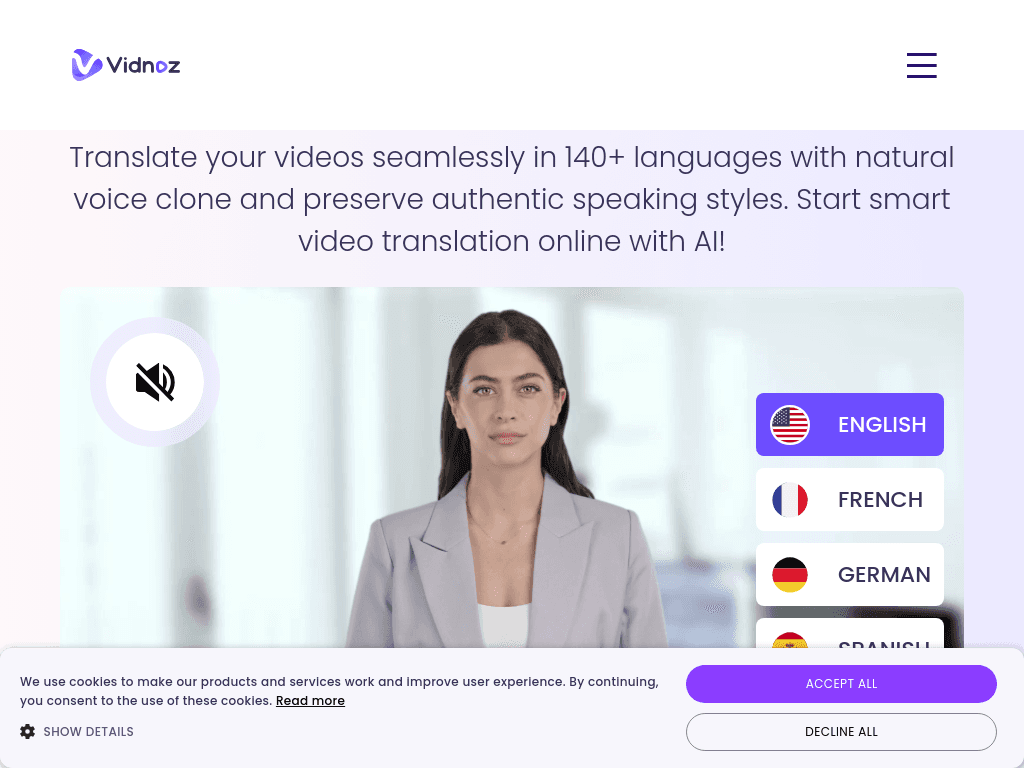
Vidnoz Video Translate is an online tool for translating existing videos into more than 140 languages. It can generate translated speech with a voice clone, preserve speaking style, create subtitles, and synchronize translated audio with lip movements. Users can upload M4V, MP4, MOV, or WEBM files, provide a video URL, or upload SRT/ASS subtitle files.
›What are the pros and cons of Vidnoz Video Translate?
Strengths
Supports translation into more than 140 languages
Combines translated voice, subtitles, and lip-sync in one workflow
Can preserve the original speaker's voice characteristics with voice cloning
Accepts proofread subtitle files for more accurate translation
Supports both uploaded videos and video URLs
Trade-offs
Free use is limited to the first 90 seconds of a video
Free exports include a watermark and are limited to 720p
Lip-sync quality can produce noticeable artifacts with multiple speakers, fast-paced scenes, or obscured faces
Reviews report that some generated output can sound robotic
Editing options are limited compared with full video editors
›What are Vidnoz Video Translate’s key features?
Translates videos into more than 140 languages
Creates translated speech using a voice clone
Synchronizes translated audio with lip movements
Generates subtitles and accepts proofread SRT/ASS files
Accepts video uploads up to 500 MB and video URLs
Supports M4V, MP4, MOV, and WEBM video files
›What are the best use cases for Vidnoz Video Translate?
Localizing marketing and social media videos for international audiences
Translating training, onboarding, and internal communication videos
Adapting educational and e-learning videos for learners in different languages
Creating multilingual product tutorials, explainers, and support videos
Translating news and other talking-head video content
›What is the pricing for Vidnoz Video Translate?
Freemium
›Who is Vidnoz Video Translate best for?
content creatorsA fit for creators who need to localize talking-head, educational, or social videos without recording separate voiceovers.
marketersUseful for producing multilingual product, explainer, and social media videos from existing footage.
teachersWorks well for adapting lessons and training materials for learners who speak different languages.
small teamSmall teams can test the workflow for short clips, then evaluate paid usage for longer videos and watermark-free exports.
Not for
- Teams producing high-end video work that requires extensive editing controls or consistently realistic close-up avatars
- Users who need to translate long videos for free, since free use is limited to the first 90 seconds
- Projects with complex scenes, several speakers, or frequently obscured faces where lip-sync artifacts may be visible
›What are the best Vidnoz Video Translate alternatives?
 Vozo.aiChoose this instead if your primary requirement is dedicated AI video translation rather than a broader avatar and video creation platform.→
 PictoryChoose this instead if you mainly want to turn text into short shareable videos rather than translate existing footage.→
 SynthesysChoose this instead if you need a platform centered on natural-sounding voiceovers and human-like video avatars.→
 Play.ht→