

Forward Future Tools Library

Brainy Documents
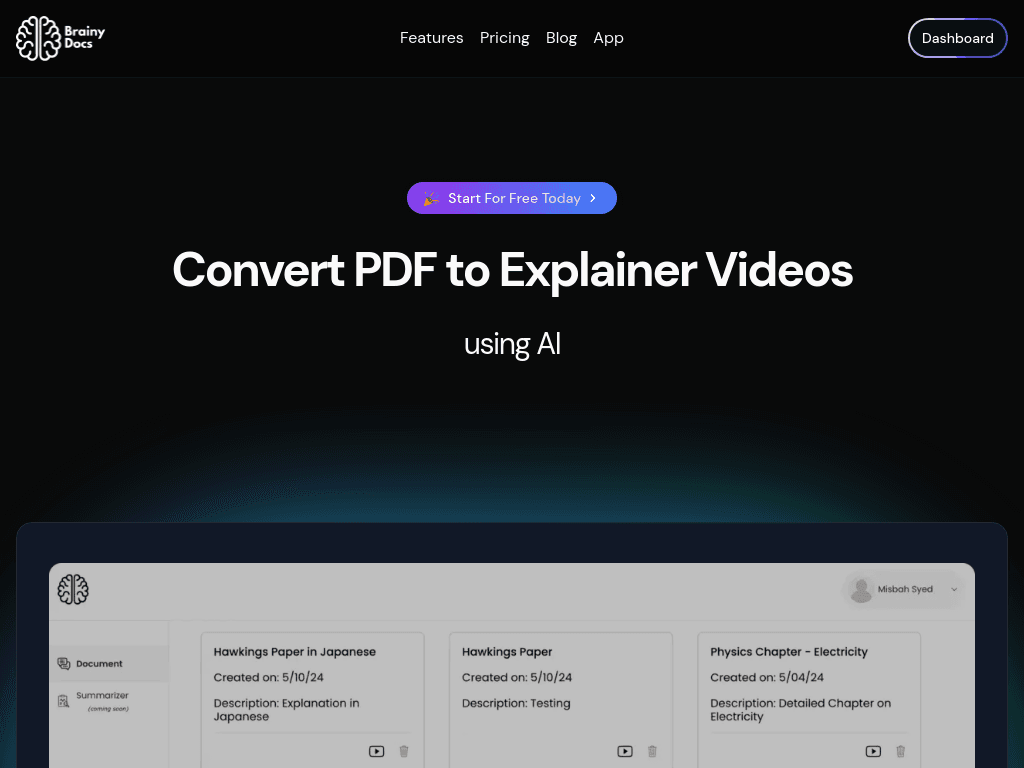
Brainy Docs turns PDFs into narrated explainer videos, presentations, study materials, and other formats for educators, marketers, trainers, and small teams.
Try Brainy Documents →
brainydocuments.com·Free Trial

›What is Brainy Documents?
Brainy Docs is a browser-based AI tool that converts uploaded PDFs into explainer videos and presentation content. It extracts text, images, pages, and document structure, then generates preview slides and formats such as videos, PowerPoints, flashcards, FAQs, quizzes, and study notes. Users can choose themes, templates, voiceovers, languages, and audience-specific explanations.
›What are the pros and cons of Brainy Documents?
Strengths
Produces multiple content formats from one PDF, including videos, presentations, quizzes, and study materials
Supports explainer output in more than 70 languages and accents
Allows users to select the pages and images used in the generated content
Runs in a browser without requiring software installation
Keeps user data private and hosts the service on Azure Cloud
Trade-offs
The platform is moving to BrainyCanvas.com, which creates uncertainty about the product's longer-term direction
There is no public API
It lacks advanced video editing capabilities
Real-time collaboration is not available
Generating final videos and other formats takes additional steps after the initial preview
›What are Brainy Documents’s key features?
Converts PDFs into explainer videos and preview slides
Extracts text, visuals, pages, and document structure from uploaded PDFs
Creates presentations, blog posts, FAQs, study notes, flashcards, quizzes, and Feynman explanations
Supports voiceovers in more than 70 languages and accents
Offers selectable themes and templates, with custom template requests for organizations
Lets users choose extracted images and pages before generating the output
Provides audience-oriented explanation prompts such as explaining a topic to a child or college student
›What are the best use cases for Brainy Documents?
Create lesson explainers from research papers, textbooks, course outlines, or other educational PDFs
Repurpose whitepapers and reports into narrated videos or presentation slides
Prepare corporate training materials from business reports and documents
Turn study materials into flashcards, quizzes, FAQs, and study notes
Localize document explanations for audiences speaking different languages
›What is the pricing for Brainy Documents?
Free Trial
›Who is Brainy Documents best for?
educatorsUseful for turning course materials, papers, and textbook chapters into lesson explainers and study resources.
studentsA practical option for converting study PDFs into flashcards, quizzes, FAQs, and simplified explanations.
content marketersRepurposes whitepapers and reports into narrated videos, presentations, and localized content.
corporate trainersWorks well for creating training explainers and presentation materials from internal reports or documents.
enterpriseLess suitable where dedicated support, service-level agreements, collaboration, or an API are required.
Not for
- Teams that need real-time collaboration on generated content
- Video professionals who require advanced editing controls
- Enterprises looking for dedicated support or a service-level agreement
- Developers seeking a public API or workflow integrations
›What are the best Brainy Documents alternatives?
 PictoryChoose this instead if your source material is text, scripts, or URLs rather than primarily PDFs.→
 DescriptChoose this instead if detailed audio and video editing matters more than automatic document conversion.→
 GammaChoose this instead if you mainly need AI-generated presentations, documents, or websites.→
 MagicShot→