Forward Future Tools Library

Cline
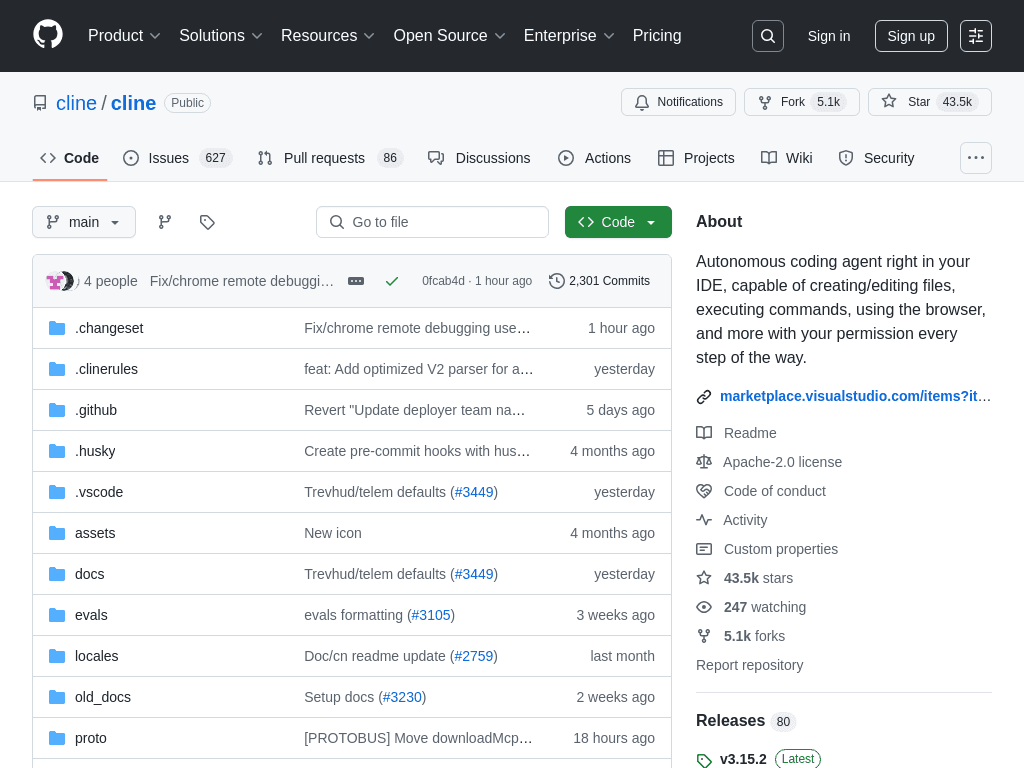
Cline is an open-source coding agent for developers who want an IDE, terminal, SDK, or Kanban workflow with control over models and approval of agent actions.
Try Cline →
github.com·Free
›What is Cline?
Cline is an open-source coding agent that runs in VS Code, JetBrains IDEs, terminals, and custom SDK-based applications. It can inspect repositories, create and edit files, run commands, browse the web, and connect to external tools through MCP. Its IDE workflow includes human approval before actions, while the CLI supports headless use for CI/CD and scripting.
›What are the pros and cons of Cline?
Strengths
Open-source and Apache 2.0 licensed
Works across existing VS Code and JetBrains environments as well as the terminal
Supports hosted and local model providers instead of locking users to one provider
Shows proposed edits and commands before execution in the IDE
MCP support connects the agent to external development tools
Trade-offs
Users pay model inference costs separately, and long agent loops can become expensive
Output quality and spending vary substantially with the selected model
Frequent approval prompts reduce hands-off autonomy in the IDE
Using the tool requires choosing a model, billing path, interface, and permission policy
There is no single bundled subscription covering model inference
›What are Cline’s key features?
Creates and edits files inside VS Code and JetBrains IDEs
Runs terminal commands with human-in-the-loop approval in the IDE
Supports interactive and headless CLI workflows for CI/CD and scripting
Connects to browsers, databases, ticketing systems, and other tools through MCP
Runs parallel tasks in a web-based Kanban board, with separate worktrees and auto-commits
Supports multiple hosted and local model providers
›What are the best use cases for Cline?
Inspecting a code repository and implementing changes from a natural-language task
Running coding agents in headless CI/CD or scripting workflows
Using browser, database, or ticketing tools during software development
Managing several agent tasks in parallel through Kanban cards and separate worktrees
Testing different hosted or local models without switching coding agents
›What is the pricing for Cline?
Free
›Who is Cline best for?
developersA strong fit for developers who want an open-source coding agent inside an existing IDE or terminal.
soloSolo developers can use it with their preferred hosted or local model and retain control over permissions.
small teamSmall teams can run parallel tasks through Kanban worktrees and connect development tools with MCP.
enterpriseEnterprise adoption may suit teams that need model and permission control, but separate inference costs and configuration add operational work.
Not for
- Buyers who want one predictable subscription price that includes model usage
- Users who prefer a fully managed coding assistant with minimal model and permission configuration
- Teams seeking a genomic data analysis tool rather than a software development agent