

Forward Future Tools Library

Neurona AI Image Generator
Neurona combines AI image generation with face swapping, photo enhancement, retouching, and body-shape editing for content creators, marketers, and artists.
Try Neurona AI Image Generator →
art-neurona.com·From 5.99/month·Checked 2026-08-14

›What is Neurona AI Image Generator?
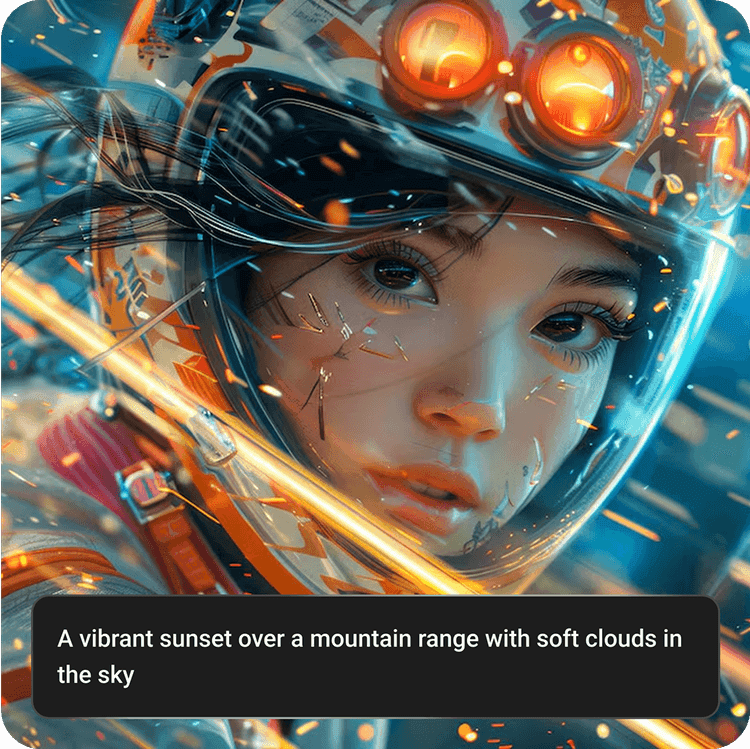
Neurona is a web-based AI image generator and photo editor with tools for creating realistic images, swapping faces in photos and videos, and editing existing pictures. It can upscale images, retouch lighting and skin tone, remove imperfections, and adjust body proportions. An iPhone app is also available.
›What are the pros and cons of Neurona AI Image Generator?
Strengths
Combines image generation, face swapping, enhancement, retouching, and other editing tools in one platform.
Provides face swapping for both photos and videos.
Paid plans include watermark-free images and commercial use.
Offers an iPhone app alongside web access.
A free tier is available for testing basic functionality.
Trade-offs
Free usage has limits, and watermark and resolution policies vary by tool.
Results depend heavily on prompt specificity and the quality of the source image.
The site does not publicly disclose its AI model architecture, training data sources, or safety evaluations.
No official Android app was found, so Android users rely on web access.
›What are Neurona AI Image Generator’s key features?
Generate realistic images with detailed textures, lighting, and shadows from text prompts.
Swap faces in photos and videos while preserving facial expressions and movement.
Upscale photos from HD to 4K and improve sharpness.
Automatically retouch lighting, skin tone, and image imperfections.
Adjust body proportions with a figure-improvement module.
Create anime-style images and apply aging effects.
Use clothes overlay and image extension tools.
›What are the best use cases for Neurona AI Image Generator?
Create social media visuals and avatars.
Produce campaign, advertising, and promotional images.
Experiment with AI-assisted art and realistic image styles.
Restore or upscale old and low-resolution photos.
Create face-swap videos for entertainment and creative projects.
›What is the pricing for Neurona AI Image Generator?
| Plan | Price | Details |
|---|---|---|
| Weekly | 5.99/month | 300 credits per week, fast processing, HD to 4K images, watermark-free output, commercial use, and iPhone app access. |
| Monthly | 9.99/month | 1000 credits per month, fast processing, HD to 4K images, watermark-free output, commercial use, and iPhone app access. |
| Annual | 59.99/month | 8000 credits per year, fast processing, HD to 4K images, watermark-free output, commercial use, and iPhone app access. |
The pricing page labels the Annual plan as billed monthly and displays 25% off.
Checked 2026-08-14 · source
›Who is Neurona AI Image Generator best for?
content creatorsA fit for producing social posts, avatars, and face-swap videos without separate generation and editing tools.
marketersCampaign and promotional image creation is covered by realistic generation, enhancement, and watermark-free commercial-use plans.
artistsUseful for exploring realistic and anime image styles, AI-assisted art, and digital photo enhancements.
iPhone usersThe iPhone app adds a mobile option for generating and editing photos and videos.
Not for
- Android users who require a dedicated native app instead of web access.
- Teams that need public documentation of model architecture, training data, or safety evaluations.
- Users who need consistently high-quality results without refining prompts or supplying strong source images.
›What are the best Neurona AI Image Generator alternatives?
 Nano Banana AI Image EditorChoose this instead if your workflow centers on uploading images or entering prompts to modify visuals.→
 Luminar NeoChoose this instead if you want a broader AI photo-editing workflow rather than face swaps and generative modules.→
 Lupa AI UpscalerChoose this instead if improving low-resolution images is your main requirement.→
 PixmakerChoose this instead if you need product and model photos and videos for business revenue work.→