

Forward Future Tools Library

Wikiwand
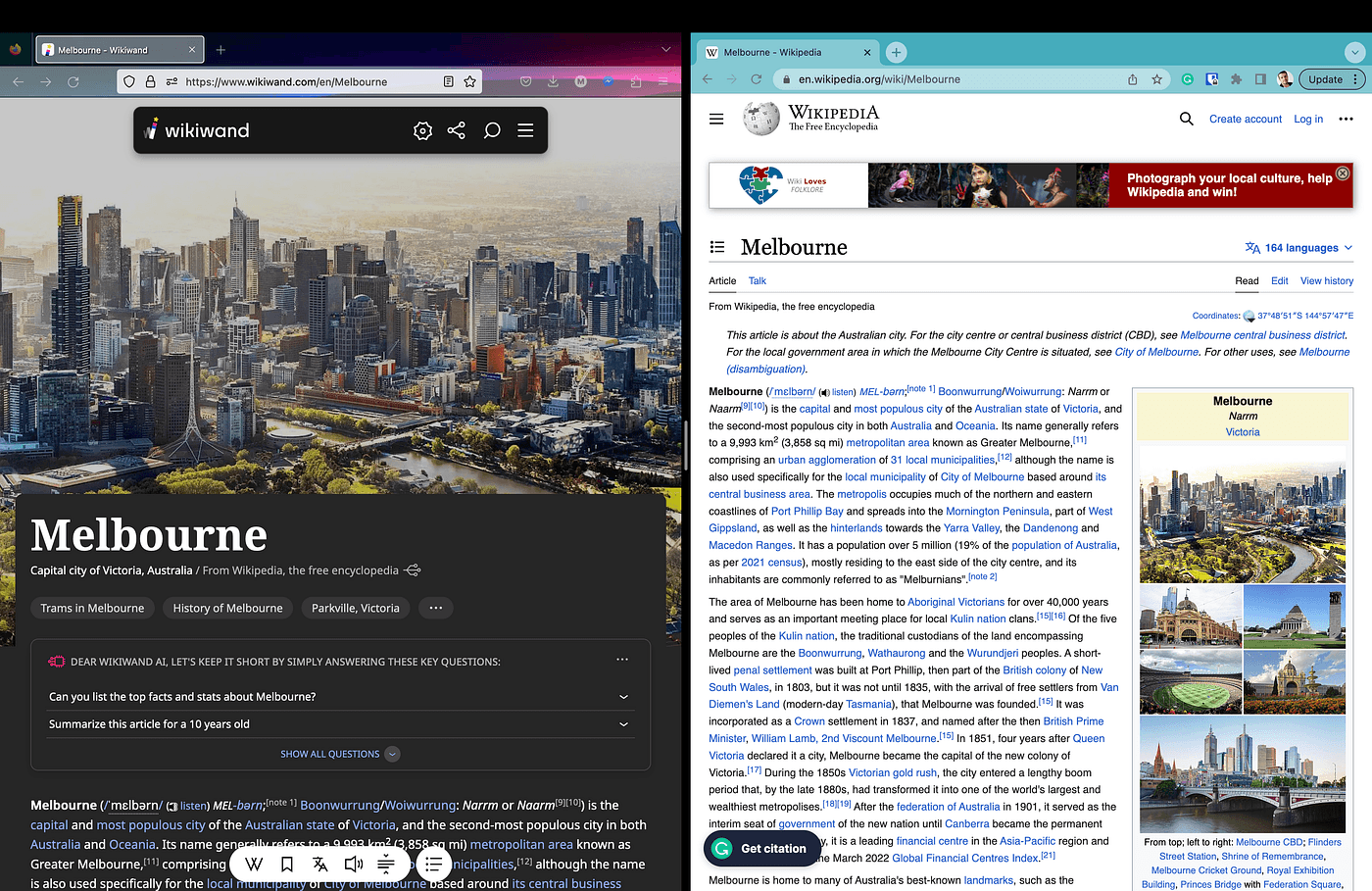
Wikiwand adds AI answers, linked previews, timelines, cross-language search, and reading controls to Wikipedia for students, teachers, and researchers.
Try Wikiwand →
wikiwand.com·Free
›What is Wikiwand?
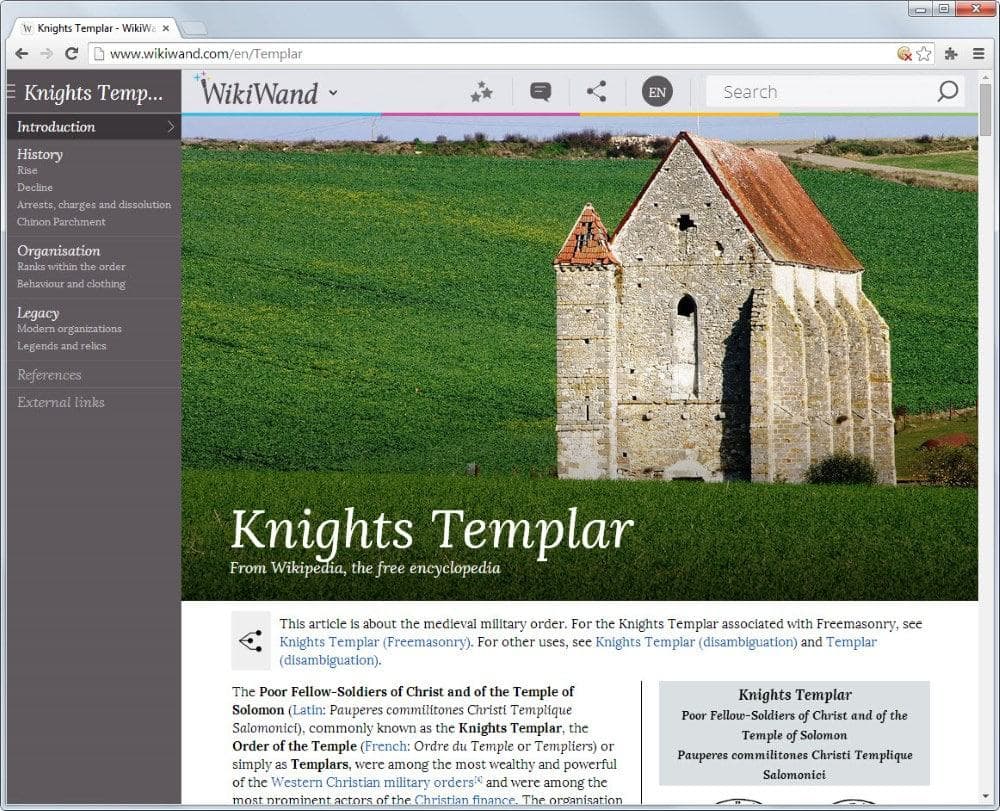
Wikiwand is a commercial interface for reading Wikipedia with a redesigned layout and added research tools. Its AI answers use the article you are reading and linked Wikipedia articles, while timelines, Top Questions, and hover previews help you follow related information. It also supports cross-language search and adjustable reading settings.
›What are the pros and cons of Wikiwand?
Strengths
Keeps answers connected to Wikipedia articles and linked sources
Combines timelines, Top Questions, previews, and cross-language discovery in one interface
Offers several reading and navigation controls, including text sizing and keyboard navigation
Can surface perspectives from different language editions
Provides bookmarks and side panels for organizing browsing
Trade-offs
The AI features are limited to Wikipedia and its linked articles rather than a broader web or document collection
The free experience includes display advertising
Recent Firefox extension reviews report mandatory account registration or sign-in
Some recent users describe the AI additions and interface changes as distracting
The current paid-tier prices are not shown in the available pricing details
›What are Wikiwand’s key features?
AI answers based on the current Wikipedia article and linked articles
Hover previews for linked articles without leaving the page
Cross-language search across related Wikipedia entries
Chronological timelines with links to source sections
Top Questions with answers and links to further articles
Themes, serif or sans-serif typography, adjustable width, and text size
Keyboard navigation, bookmarks, and side panels
›What are the best use cases for Wikiwand?
Exploring a topic through linked Wikipedia articles without opening multiple tabs
Comparing how different language editions frame the same event
Building a chronological overview of historical or current events
Using Top Questions to identify follow-up topics for study or research
Reading Wikipedia with adjustable typography, layout, and navigation controls
›What is the pricing for Wikiwand?
Free
›Who is Wikiwand best for?
studentsUseful for following linked explanations, reviewing timelines, and reading Wikipedia with less visual clutter from the standard layout.
teachersWorks for guided topic exploration and showing how different language editions present the same subject.
researchersA practical starting point for Wikipedia-based orientation, but not a replacement for checking primary or specialist sources.
Not for
- People who need answers grounded in uploaded documents, academic databases, or sources beyond Wikipedia.
- Readers who want an entirely ad-free experience without paying for a plan.
- Users who do not want to create an account for a browser extension.
›What are the best Wikiwand alternatives?
 ConsensusChoose this instead if your research centers on scientific literature rather than Wikipedia articles.→
 AI PDF SummarizerChoose this instead if you need to analyze PDFs you already have.→
 Notebook LMChoose this instead if you want a research and writing assistant built around your own materials.→
 ResearchRabbit→